
Visual timelines keep teams aligned and on track when more meetings can’t
Learn how visual project timelines help managers replace confusion with clarity, foster ownership, and build a culture of proactive accountability.

See how visual timelines outperform PM jargon by making progress obvious, reducing confusion, and helping project managers drive real delivery.

Project visuals improve teamwork
Have you ever seen a project manager lose the attention of an entire room with just one sentence? It usually happens in those meetings where project management lingo unnecessarily dominates timeline presentations and progress updates.
From the "We’ll circle back on that" to "Let’s make sure we’re aligned cross-functionally", and the classic "We’ll need a different approach for this one, so let’s take a 30,000-foot view ", you can literally see people in the room mentally check out.
Time is wasted, team sync breaks down, and deadlines get pushed further. Not something any PM wishes for, unless they secretly enjoy scheduling the same meeting three times in a row.
The alternative to that? Visually appealing timelines showing what's done, what's in progress, and what's next. Meetings without confusing PM lingo, but with clear progress anyone can read at a glance and built-in accountability that translates into timely delivery.
So often teams spend 30 minutes to an hour aligning on sprint priorities, only to walk away still unsure of what’s being built that week. Nobody wants to interrupt and ask, "Wait, what does that mean?", so everyone simply nods along.
Once the meeting ends, however, the follow-up email rolls in asking for clarification on next steps and deadlines. Everyone knows this is code for "I have no idea what just happened in there."
One of the reasons this keeps happening is that (over)using PM lingo has become an undeserved badge of professionalism. So much so that "How do I talk like a PM?" is one of the most frequently asked questions in project-management subreddits.
But what is more important — to talk like a PM or communicate clearly to your stakeholders?
The corporate world has spent far too long pushing for PM performance theatre rather than real performance delivery. And what many don’t want to admit is that it’s quietly eating into business margins.
Even more than that, given how much context switching project teams, executives, and stakeholders do every day, it’s surprising how underrated visual timelines are for keeping everyone aligned. No one wants to spend their already limited mental energy decoding PM speak while stitching together scattered progress updates.
Thankfully, visual timelines allow project managers to be considerate of their stakeholders’ time and mental energy and bridge the accountability gap by making tasks, dependencies, and progress impossible to miss.
Different stakeholders have different interests in a project. A developer will appreciate a timeline with clear task ownership, dependencies, and what’s blocking progress.
Meanwhile, an executive who doesn’t need that level of detail will want a higher-level view that highlights major milestones, risks, and whether the project is still on track.
Remember the confused audience I was telling you about earlier? Building custom timelines for technical and executive audiences helps project managers avoid misunderstandings, keep meetings productive, and reduce back-and-forth.
Several project managers have told me they would create multiple variants of a timeline if it didn’t feel so time-intensive to build and maintain. The reality is that with the right tool and the right support, this process doesn’t have to be a heavy lift.
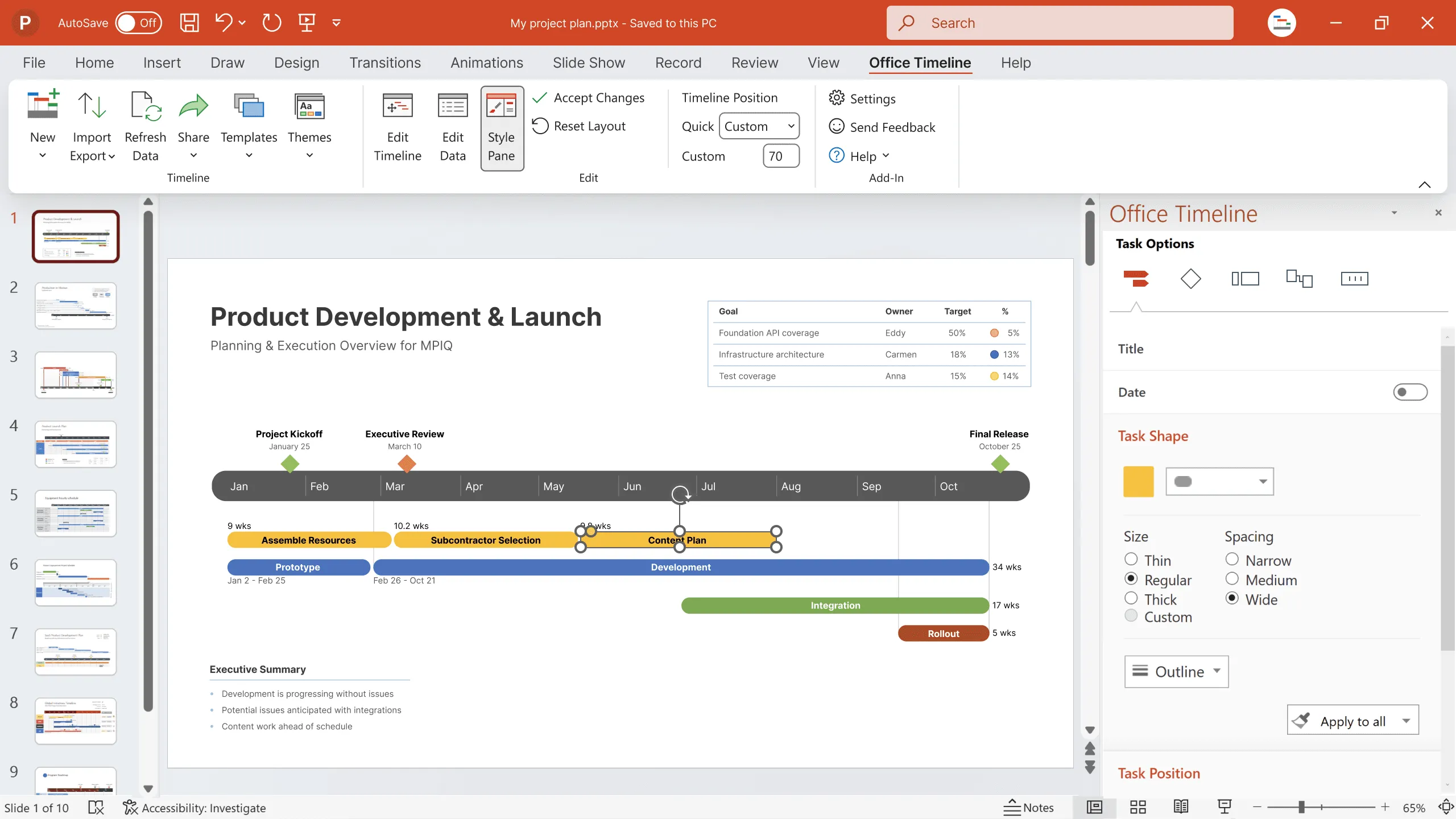
Intuitive dashboards, ready-made, customizable templates and themes, and one-click data refresh are the top features you should be looking for in any time-efficient timeline maker. After all, you’re choosing not just for your current project managers, but also for future team members who will need to pick it up quickly and integrate it into their daily workflow.
Far be it from me to stop any project manager from using jargon in their meetings or reports if it genuinely works for them.
In my experience and that of our clients, clear project visuals consistently outperform PM lingo: first, they speed up decisions and surface blockers, and second, they shift accountability from finger-pointing to shared ownership.
So, the question isn’t about PM speak versus visuals. It’s more whether you stick to performing or actually deliver on time, scope, and budget.
Eddy is Founder & Chief Product Officer for Office Timeline, building a user-friendly but powerful app that makes timelines, Gantt charts and roadmaps directly in PowerPoint.
Tagged With:
Visual accountabilityGet the advanced features of Office Timeline free for 14 days.
Learn how visual project timelines help managers replace confusion with clarity, foster ownership, and build a culture of proactive accountability.
Discover how to build a culture of shared accountability and how PMs can add value to projects with easy-to-understand visuals.

Explore why tools often fail to reflect reality and how the right approach (and the right tools) bring clarity.
Find out why creating clear project visuals is not just a matter of design, but of communicating project progress.