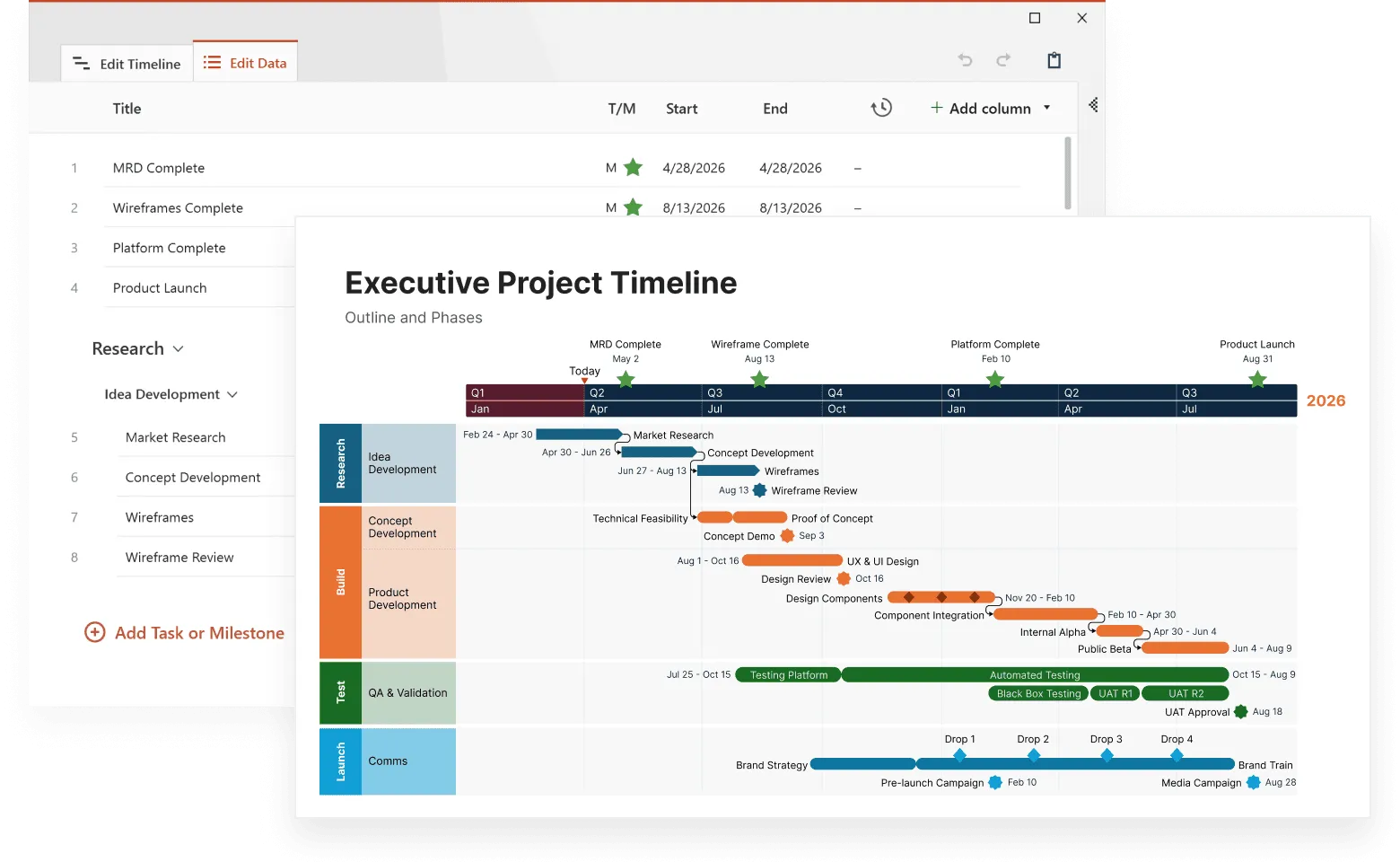
Building timelines used to mean fighting with PowerPoint slides until 2 AM. Now you can map out a product launch or trace the fall of Rome using modern timeline tools that actually understand how time works.
These web platforms handle the math (spacing events, calculating durations, syncing dates) while you focus on the story. Students plot historical events, startups track funding milestones, and marketing teams coordinate campaign launches without the usual software headaches, all through interactive timelines that update as you go.
The real advantage is that timelines become living documents. Change one deadline and everything downstream shifts automatically. Share a link and your team sees updates instantly, no more emailing revised versions or wondering who has the latest copy.
This article examines the leading online timeline creators, comparing their features, pricing models, and practical applications to help you choose the right platform for your specific needs.
What makes online timeline platforms different from traditional tools
Timeline tools now run straight from your browser, no downloads, no IT approval needed. Users can jump in from laptops, tablets, or phones without worrying about compatibility issues.
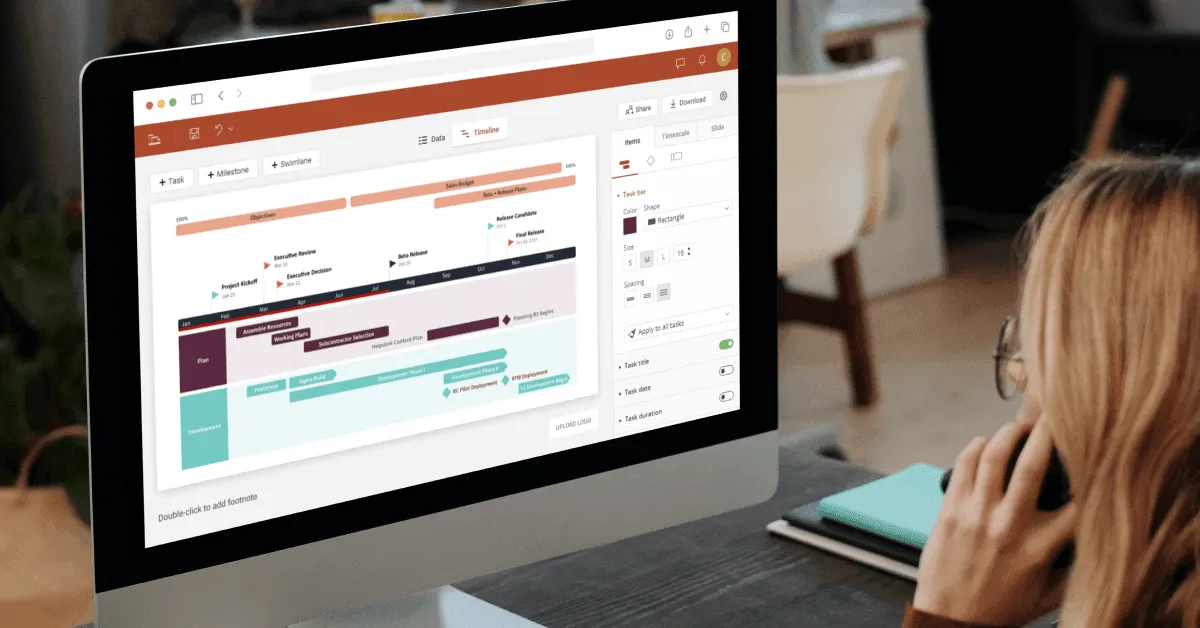
Everything saves to the cloud automatically, so you won't lose hours of work to a browser crash. Multiple people can edit at once, and you'll see their changes appear as they type, like working in a shared Google Doc but for project timelines.
Desktop timeline software comes with the usual headaches: it only works on certain computers, sharing files becomes a nightmare, and updates mean bugging IT again.
Web-based tools skip all that mess by providing:
- instant access from any device with internet connection;
- automatic synchronization across all user devices;
- built-in sharing mechanisms with customizable privacy settings;
- integration capabilities with existing business tools;
- regular feature updates without manual installations.
Tools like Office Timeline Online hit the sweet spot between basic web apps and heavy-duty presentation software. You get polished, client-ready timelines without installing anything on your computer.
Core features that separate good platforms from great ones
The best online timeline maker tools share a few things that others miss. Interface matters more than you'd think. Drag-and-drop that actually works means you spend time on content instead of fighting with controls.
Business teams need their data to flow in easily. Superior online timeline platforms pull from Excel, project management systems, and databases without reformatting headaches. Some connect through APIs so your timeline updates automatically when project dates shift.
Customization depth varies between platforms. Basic tools provide limited color schemes and fonts, while advanced platforms offer:
- custom css styling options,
- brand-specific color palettes and fonts,
- interactive elements like clickable milestones,
- multimedia integration including videos and documents,
- responsive design that adapts to different screen sizes.
Export options determine how timelines integrate with existing workflows. The best online timeline creator platforms give you PDF for presentations, PNG for reports, SVG for web use, and HTML embed codes for websites.
Overview of top timeline platforms
The best online timeline maker platforms serve different needs depending on output requirements, data sources, and team workflows. Understanding each tool’s strengths makes it easier to match the right platform to your specific use case.
- Best for: program managers who present project status to stakeholders
- Office Timeline Online converts project data into PowerPoint-compatible slides designed for executive presentations. It connects directly to Jira, Microsoft Project, Excel, and Smartsheet, automatically mapping tasks into timeline formats without manual data entry.
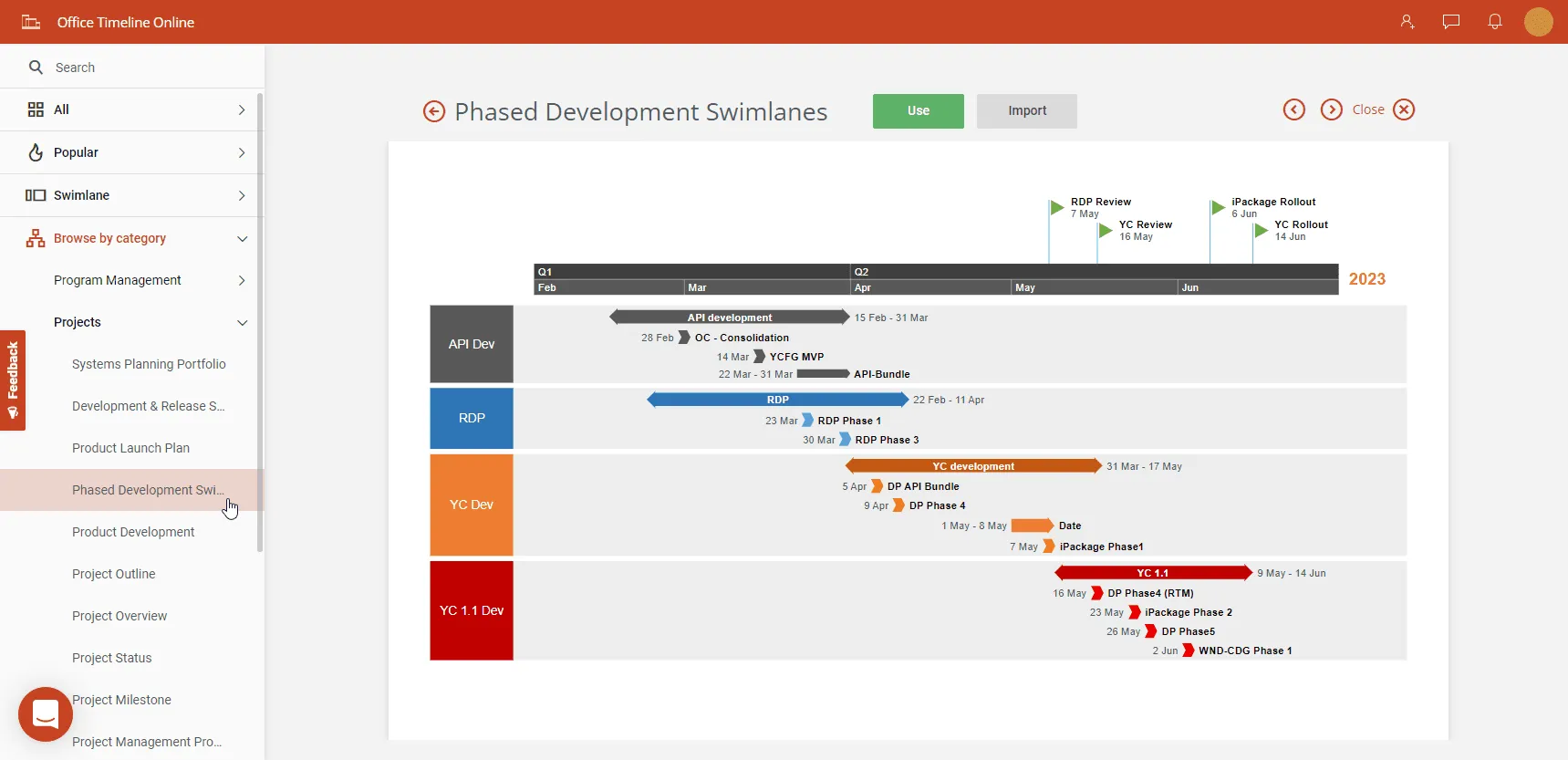
- Templates include swimlane charts for development cycles, milestone markers for product launches, and Gantt-style layouts for project phases. Users can customize colors, fonts, and spacing to match corporate branding.
- The platform generates slides that paste cleanly into PowerPoint while preserving formatting and editability. When synced, updates to source data automatically refresh the timeline visuals.
- Best for: communications teams and educators creating public-facing or visual learning materials
- Adobe Express creates highly visual timeline graphics optimized for marketing, social media, and educational content. It provides access to Adobe’s creative library of stock photos, icons, and design elements.
- Templates range from historical timelines to product announcement schedules. Users can embed videos, animate transitions, and export timelines as shareable links or downloadable graphics.
- Integration with Creative Cloud allows seamless import of assets from Photoshop or Illustrator, and brand-kit features ensure consistent colors and logos across designs.
- While excellent for storytelling, it’s less suited for project management or operational workflows.
Google Sheets timeline integration
- Best for: teams managing project data in spreadsheets who want simple visualization without changing their workflow
- Google Sheets builds timelines through its native timeline chart feature, pulling date ranges directly from spreadsheet columns. Conditional formatting can highlight overdue tasks or upcoming deadlines based on formulas.
- The platform connects to external data sources via APIs and Apps Script, enabling timelines to update automatically from CRMs, project databases, or other systems.
- Timelines can be exported as images or embedded as live, updating widgets in Docs and Sites. Multiple collaborators can edit data simultaneously with real-time updates.
Build better timelines online
Try Office Timeline Online for free. Craft clear, polished visuals from your browser in minutes.
Specialized timeline platforms
Specialized timeline platforms offer additional capabilities tailored to journalism, data-driven storytelling, or lightweight project management. These tools emphasize media integration, customization, or niche workflows while still delivering strong timeline visualization.
- Best for: journalists, historians, and educators who need media-rich, web-based timelines
- Timeline JS turns structured data from Google Sheets into responsive, interactive web timelines. It supports images, videos, maps, and other embedded media.
- Its open-source framework allows developers to customize appearance and functionality, while non-technical users can still build timelines with basic spreadsheet skills.
- Best for: small teams needing both timeline visualization and light project management
- Preceden blends timeline creation with project management features, including task dependencies, resource assignment, and progress tracking.
- It offers Gantt-style views alongside timeline layouts, making it helpful for teams coordinating straightforward project plans.
- Best for: visually rich, public-facing timelines and storytelling
- Tiki-Toki enables 3D timeline presentations with multimedia integration, including video embedding, galleries, and interactive elements.
- Its customization options (themes, colors, and layouts) make it ideal for marketing teams or educators publishing timelines that need visual impact.
- The 3D style may be more than necessary for simple project visualizations, but it excels at immersive storytelling.
Free vs premium online timeline makers
Best free online timeline maker options typically impose limitations on timeline quantity, collaboration features, or export capabilities. These restrictions vary between platforms and it is important to compare features before committing to any tool.
Free platforms typically include:
- limited timeline storage (usually 3-5 timelines),
- basic templates and styling options,
- standard export formats,
- community support only,
- watermarks on exported timelines.
Premium subscriptions generally remove these limitations and add features that matter for business use, such as analytics, custom branding, priority customer support, and enhanced security measures.
Some platforms offer hybrid models where basic functionality remains free indefinitely, but advanced features require subscription payments. This works well for individual users who need occasional timeline creation without ongoing costs.
Office Timeline Online exemplifies this approach by offering both free templates and premium features, allowing users to create professional presentation slides without initial investment while providing upgrade paths for advanced collaboration and integration needs.
Industry-specific timeline requirements
Different industries demand specific timeline functionality based on workflow patterns and output needs. Understanding these requirements helps select platforms that fit actual work processes. For example, educational institutions need tools that support student collaboration and assignment submission and marketing teams require brand customization and campaign tracking capabilities.
Project management applications
Project managers need online timeline maker tools that sync with existing software ecosystems. Direct connections to Asana, Jira, Microsoft Project, and Smartsheet eliminate manual data entry while maintaining timeline accuracy as project details change.
Resource conflict detection becomes important when team members work across multiple projects. Visual indicators show when individuals face scheduling overlaps or capacity constraints across different timeline tracks.
Dependency mapping reveals how task delays cascade through project schedules. Interactive timelines let managers adjust dates and immediately see downstream impacts on related deliverables.
Office Timeline Online handles these requirements by importing project data directly from management platforms, then generating presentation slides that communicate project status to stakeholders. This separation of detailed project tracking from executive communication proves particularly valuable for distributed teams.
Educational timeline creation
Teachers and students require different features than business users.
Educational online timeline platforms should support:
- simple sharing mechanisms for assignment submission,
- collaborative features for group projects,
- research citation tools for historical timelines,
- age-appropriate content filtering,
- accessibility features for diverse learning needs.
Office Timeline Online provides educational-friendly templates that work well for classroom presentations, allowing teachers to create visually engaging timeline slides that maintain student attention while presenting historical events or project schedules.
Marketing and communications
Marketing teams create timelines for campaign planning, product launches, and event coordination. Campaign planning requires timeline tools that handle multiple parallel tracks - creative development, content creation, media placement, and event coordination. Swimlane layouts help teams track different campaign elements without visual confusion.
These users need advanced visual customization, brand consistency tools, and presentation-ready output formats. Custom color palettes, logo placement, and font selections match corporate standards automatically rather than requiring manual formatting.
Social media integration allows timeline content to be shared directly to marketing channels. Analytics features track timeline engagement and effectiveness.
Web-based platforms like Office Timeline Online provide marketers with the flexibility to create professional timeline slides that can be easily shared across teams and integrated into various presentation formats. The browser-based approach allows marketing teams to collaborate on campaign timelines from different locations while maintaining consistent brand standards and presentation quality.
Export flexibility matters when timelines appear in presentations, reports, social media posts, and client proposals.
Technical considerations and performance
Browser compatibility affects user experience across different devices and operating systems. Modern online timeline creator platforms support all major browsers, but performance can vary significantly.
Loading speed becomes important for complex timelines with multiple multimedia elements. Platforms that use content delivery networks (CDNs) typically provide faster loading times for global users. Browser performance varies significantly with timeline complexity. Platforms optimized for large datasets handle hundreds of timeline entries without slowdown, while others struggle with basic functionality as content scales.
Mobile responsiveness determines usability on smartphones and tablets. Touch-friendly interfaces and optimized layouts improve mobile timeline editing experience. Mobile editing capabilities determine whether teams can update timelines while traveling or working remotely. Touch-optimized interfaces and offline editing support increase platform flexibility for field teams.
Real-time collaboration requires robust conflict resolution when multiple users edit simultaneously. Version control prevents work loss and tracks changes across team members.
Data security measures vary between platforms. Enterprise users should verify encryption standards, data storage locations, and compliance with relevant regulations like GDPR or HIPAA. Security requirements differ by organization:
- single sign-on integration,
- audit trails for compliance tracking,
- data residency controls for regulated industries.
Office Timeline Online addresses these technical considerations by providing responsive design that works across devices while maintaining professional output quality, making it accessible for teams that need both mobile flexibility and presentation-ready results.
Integration capabilities and workflow automation
The best online timeline maker platforms connect seamlessly with existing business tools. API availability allows custom integrations with proprietary software systems, while webhook support triggers timeline updates based on external events like task completions or milestone achievements.
Common integration points include:
- calendar applications for deadline synchronization,
- email platforms for automated notifications,
- file storage services for document attachments,
- communication tools for team updates,
- analytics platforms for performance tracking.
Automation features reduce manual timeline maintenance. Platforms can automatically update timelines when connected data sources change, send deadline reminders, or generate progress reports.
Export automation can generate timeline reports on scheduled intervals, distributing updated project visuals to stakeholder groups without manual intervention.
Office Timeline Online connects directly with tools like Jira, Microsoft Project, Excel, and Smartsheet to automatically import project data and generate timeline visuals. This web-based integration eliminates manual data entry while maintaining presentation-ready output quality. Cross-platform compatibility means timeline data flows between different software tools used by various team members.
Standard file formats prevent vendor lock-in and support long-term data accessibility.
Future trends in online timeline platforms
Artificial intelligence increasingly influences timeline creation through features like automatic milestone detection, intelligent scheduling suggestions, and content generation assistance. Machine learning algorithms analyze project patterns to predict potential delays and recommend timeline adjustments based on historical data.
Natural language processing allows users to create timelines by describing projects in plain text rather than manually inputting dates and tasks. AI assistants can extract timeline elements from meeting notes, emails, and project documents automatically.
Virtual and augmented reality integration creates immersive timeline experiences, particularly valuable for educational and training applications. These technologies allow users to "walk through" historical events or project phases, transforming flat timeline presentations into three-dimensional experiences.
Real-time collaboration continues improving with features like:
- voice comments attached to specific timeline elements,
- video conferencing integration for live timeline reviews,
- simultaneous editing indicators showing where team members are working,
- instant synchronization across multiple devices and locations.
These advances make remote timeline collaboration more effective for distributed teams. Predictive analytics will soon identify potential project bottlenecks before they impact timeline delivery. Platforms are moving beyond simple data import to two-way sync, where timeline changes automatically update source project management systems. Changes made in timeline views flow back to the original project data, keeping both planning and execution tools aligned.
Making the right platform choice
Selecting the appropriate online timeline platforms depends on specific use cases, team size, and budget constraints. Free options work well for individual users or small teams with basic requirements, while enterprise teams typically need premium features for collaboration and integration.
Start with your output requirements
Teams presenting to executives need different features than educators creating classroom materials. Project managers tracking deliverables require different capabilities than marketing teams planning campaigns.
Platform migration becomes difficult once teams build extensive timeline libraries and workflows.
The timeline creation landscape continues evolving as platforms add new features and improve existing functionality. Regular reassessment means your chosen platform still meets changing requirements as your projects and team grow. However, switching costs increase over time, making the initial choice more important than periodic reevaluation.
Platform examples by factor coverage
Consider these factors during evaluation:
- Team size and collaboration needs
How many people will access and edit timelines simultaneously? - Integration requirements
Which existing tools need to connect with the timeline platform? - Customization depth
How important is visual branding and advanced styling? - Export and sharing needs
What formats and privacy levels do you require? - Growth potential
Will your timeline complexity increase over time? - Budget flexibility
Can you invest in premium features, or do you need free solutions?
Testing multiple platforms with actual use cases provides better insights than feature comparisons alone. Most platforms offer free trials or freemium models that allow hands-on evaluation.
Timeline JS addresses factors 4 and 6 well - it offers clean export formats and remains completely free. However, it lacks collaboration features and business tool integrations.
Adobe Express covers factors 3, 4, and 6 effectively with strong visual customization, multiple export options, and freemium pricing. It falls short on business integrations and collaboration for larger teams.
Preceden handles factors 1, 2, and 5 through its collaboration features, basic project management integrations, and scalable project tracking. Customization options remain limited compared to design-focused platforms.
Office Timeline Online addresses all six factors comprehensively: supports team collaboration, integrates with major business tools like Excel, Jira, Smartsheet and Microsoft Project, provides extensive brand customization, offers multiple export formats including PowerPoint slides, scales from simple timelines to complex project roadmaps, and includes both free and premium tiers.
Conclusion
Most platforms handle basic timelines just fine. The real differences emerge when you're managing multiple projects, collaborating with teams, or connecting to your existing tools. That's when the right choice saves hours each week.
Don't pick based just on feature lists. Test your top two or three options with actual work: create a real timeline for a current project, have your team test the collaboration features, and connect your existing software. You'll discover deal-breakers that no comparison chart reveals, and you'll know within a day whether the platform fits how you actually work.
Frequently asked questions about online timeline platforms
These are the most common questions users ask when choosing and using online timeline platforms. Understanding these answers will help you make better decisions and avoid common pitfalls.
Timeline JS offers unlimited timeline creation without subscription fees. The platform uses Google Sheets for data input and generates clean, responsive timelines. While customization options are more limited than premium platforms, it provides full functionality for basic timeline needs without watermarks or usage restrictions.
Office Timeline Online also provides free access with professional templates and presentation-quality output. The free version includes ready-made templates for common timeline scenarios and generates slide-ready formats that work well for business presentations, making it particularly valuable for users who need polished visual results.
Most professional online timeline platforms accept Excel file imports through CSV conversion. Here's the typical process:
- Export your Excel timeline data as a CSV file.
- Upload the CSV to your chosen platform.
- Map your date and event columns during import.
- Review and adjust formatting as needed.
Google Sheets timeline integration works particularly well since it maintains live connections to your spreadsheet data. Office Timeline Online offers direct Excel integration alongside connections to other business tools like Jira, Microsoft Project, and Smartsheet, allowing you to import project data directly and generate professional timeline slides without manual data entry.
Online timeline creators require internet connectivity for editing and saving changes. However, many platforms cache timeline data locally, allowing limited viewing of previously loaded timelines during brief connection interruptions.
Some platforms offer workarounds for offline use - Office Timeline Online's paid plans allow you to download completed timelines as files, enabling offline viewing and presentation even without internet access. For ongoing offline timeline creation, consider desktop software alternatives or platforms that offer mobile apps with offline capabilities.
Collaboration limits vary significantly:
- Free versions: typically 2-3 simultaneous editors
- Premium plans: 10-50 collaborators depending on the service
- Google Sheets timeline integration: up to 100 simultaneous viewers and 10 editors
Premium timeline platforms offer extensive branding customization including custom colors, fonts, logos, and CSS styling. Free versions usually provide basic color scheme options but may include platform watermarks. Adobe Express excels in visual customization, while business-focused platforms like Preceden offer brand template creation and management features.
Enterprise-grade timeline platforms implement bank-level security with encrypted data transmission and storage. Look for platforms with SOC 2 compliance, GDPR adherence, and customizable privacy controls. Some platforms offer on-premise deployment options for organizations with strict data security requirements.
Most modern timeline platforms generate HTML embed codes for website integration. The embedded timelines typically maintain full interactivity including zooming, scrolling, and clicking on timeline elements.
Office Timeline Online creates timelines specifically designed for presentation embedding, generating slide-ready formats that integrate seamlessly with existing presentation workflows while maintaining professional visual standards.
Educational users should prioritize platforms with simple sharing mechanisms and collaborative features. Timeline JS works well for basic educational timelines, while platforms like Office Timeline Online provide educational-friendly templates that work well for classroom presentations. Many platforms offer educational discounts - Time.Graphics provides up to 90% educational discounts for institutions.