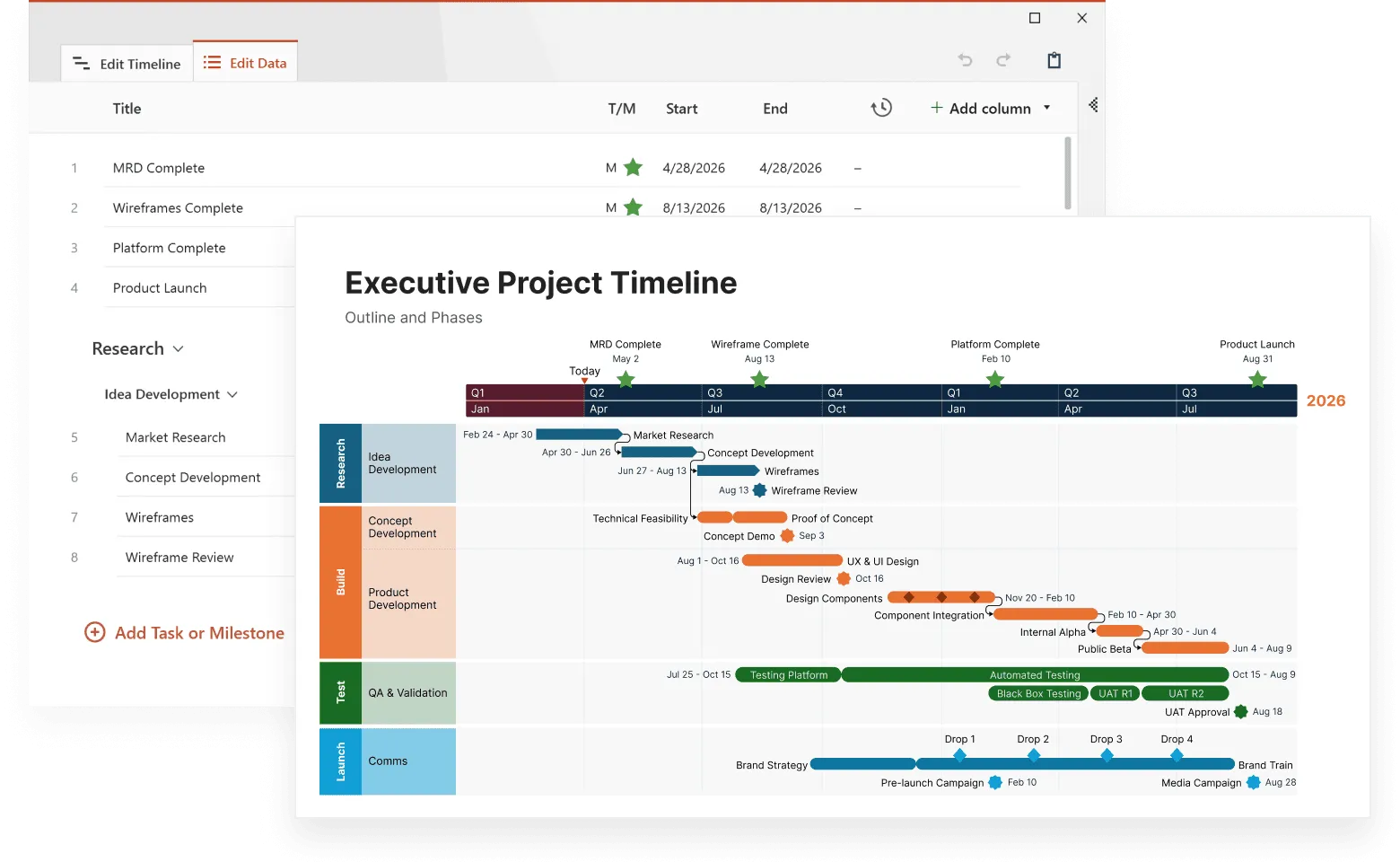
History stops being a collection of isolated dates when we can explore connections between events, causes, and consequences through interactive formats. Traditional textbooks present major historical transitions as single moments, but interactive historical timelines reveal how multiple factors accumulated over time to create significant changes.
Modern timeline tools transform passive reading into active discovery. Users click through the causes of conflicts, exploring how single events connected to existing tensions, competing interests, and broader historical forces. They see patterns emerge as they move between treaties and the conditions that shaped subsequent developments.
This article examines what makes historical timelines truly interactive, explores successful examples across different periods, and provides practical guidance for creating timelines that make complex historical relationships clear and memorable.
How interactive timelines bring history to life
Interactive timelines let people control how they explore history instead of following a fixed path. Click on 1969 and watch moon landing footage. Jump back to 1957 to see Sputnik's launch. Move forward to 1975 to explore the Apollo-Soyuz mission. The connections become clear when you can make these jumps yourself.
Regular timelines list events in order. Interactive versions add videos, photos, maps, and audio recordings directly into each entry. You might read about the Industrial Revolution, then listen to actual factory sounds from the 1800s or see photographs of early textile mills.
Good interactive platforms let you change your view. Look at centuries to spot long-term trends, then focus on individual years when something interests you. Filter to see only wars, or only scientific discoveries, or only events from specific regions. You decide what to examine and how deeply to explore it.
The difference lies in choice. Static timelines tell you what happened when. Interactive timelines let you ask "what if I want to see how this connects to that?" and actually find out.
Ancient civilizations through interactive exploration
Start with Mesopotamia around 3500 BCE. Click and see the world's first cities rising from nothing. Watch writing systems develop from simple pictographs to complex scripts.
Then trace how these breakthroughs moved outward. Egypt adopts similar innovations by 3100 BCE, but adapts them differently (hieroglyphs look nothing like cuneiform, yet both serve the same purpose). The Indus Valley follows by 2600 BCE with their own unique approach to urban life.
Interactive formats shine when showing what happened at the same time in different places. Egyptian workers hauled massive stone blocks to build pyramids while Indus Valley engineers designed the world's first sewage systems and created standardized weights for trade. Split-screen views let you compare these achievements side by side instead of reading about them separately.
Some periods make more sense when you can explore multiple causes at once. Take the Bronze Age collapse around 1200 BCE. The Hittite Empire crumbles, Mediterranean trade breaks down, and mysterious Sea Peoples attack coastal cities. Click through each factor and you start to see how they connected. No single cause explains why entire civilizations disappeared within decades.
New archaeological finds keep changing what we know about ancient history. Interactive timelines can add fresh discoveries immediately. When researchers decoded more about the Antikythera mechanism (that incredible ancient Greek computer) timeline data could be updated the same day instead of waiting for new textbook editions.
Medieval period complexity made clear
Medieval history gets messy fast. England fights France while the Holy Roman Empire splits apart, monks copy manuscripts in Ireland, and trade routes shift across the Mediterranean. All at the same time. Traditional timelines struggle with this chaos.
Interactive formats let you pick what interests you. Want to see only religious developments? Filter out the wars and politics. Curious about how technology moved between cultures? Follow those threads across centuries and continents.
The Crusades illustrate this perfectly. From 1095 to 1291, armies march from Europe to the Middle East, but that's just the surface story. Click deeper and trace how Muslim mathematical concepts traveled back to European universities in crusaders' baggage. See how spice trade routes changed when Christian knights controlled key Mediterranean ports. Watch new architectural styles emerge when European builders encountered Islamic engineering techniques.
Disease tells medieval stories in ways that text alone cannot. The Black Death starts in Central Asia around 1347, then creeps across trade routes. Watch it reach Italian ports by ship, spread through European cities along rivers and roads, jump to England across the Channel. Month by month, you see mortality rates spike, sometimes killing half a city's population. Then you can explore what happened next: abandoned villages, labor shortages that broke feudalism, religious movements born from desperation.
Universities sprouted across medieval Europe like a slow-motion explosion. Bologna opens in 1088. Paris follows. Oxford, Cambridge, Salamanca. Each one preserves and transmits knowledge differently, but together they create networks that outlast kingdoms. Interactive timelines can map these intellectual connections instantly as they form over decades.
Early modern transformations
Between 1450 and 1800, everything speeds up. Ships cross oceans, telescopes reveal new worlds, printing presses spread ideas faster than ever before.
Portuguese sailors inch down Africa's coast, mapping each bay and river. Meanwhile, Spanish conquistadors hack through American jungles seeking gold. Interactive maps let you watch both expeditions unfold simultaneously: Portuguese traders setting up posts in Angola while Cortés marches toward Tenochtitlan. The connections become obvious. Europe needs new trade routes because Ottoman control of old ones drives up prices.
Science builds on itself in ways that traditional timelines miss. Copernicus suggests the Earth orbits the sun in 1543. Sounds simple now, but it overturned everything people believed about their place in creation. Galileo points his telescope at Jupiter's moons in 1610 and proves Copernicus right. Then Newton explains in 1687 why planets stay in orbit instead of flying off into space. Click through these discoveries and watch one insight trigger the next.
Religious upheaval spreads like wildfire across Europe. Luther nails his complaints to a church door in 1517. Within decades, entire kingdoms split from Rome. But the Catholic Church fights back through the Council of Trent, reforming itself while condemning Protestant ideas. Interactive timelines can show this back-and-forth as it happens: new Protestant churches forming in Germany while Catholic missionaries sail to Asia and the Americas.
The Industrial Revolution transforms everything it touches, but the changes don't happen overnight. James Hargreaves builds his spinning jenny in 1764, letting one person do the work of eight. James Watt improves the steam engine in 1769, making factories possible anywhere, not just near rivers. Watch cities grow around these new machines. Follow workers leaving farms for factory jobs. See how mass production changes what people buy and how they live.
Modern period interconnections
The 20th century moves fast and everything connects to everything else.
World War I looks like a massive accident until you dig deeper. European powers build competing alliances for decades: Germany with Austria-Hungary, France with Russia, Britain watching nervously from across the Channel. Then an assassin kills an Austrian duke in Sarajevo and suddenly everyone's at war. Interactive timelines let you trace these alliance chains as they form, then watch them drag entire continents into conflict. Click through the July Crisis day by day and see how diplomatic failures turned a regional dispute into global catastrophe.
Technology reshapes society in waves. Radio crackles to life in the 1920s, bringing news and entertainment into homes for the first time. By the 1950s, television shows families what's happening on the other side of the world. The internet explodes in the 1990s, connecting everyone to everyone instantly. Each wave changes how people think, vote, and organize movements. Follow these communication revolutions and you'll see how they made everything from civil rights protests to political campaigns work differently.
The Cold War plays out on multiple stages simultaneously, which makes it perfect for interactive exploration. Stalin blockades Berlin in 1948, testing Western resolve. Mao's communists win in China in 1949, shifting global power. Kennedy and Khrushchev face off over Cuban missiles in 1962, bringing the world to the brink of nuclear war. These events connect in ways that become clear only when you can jump between different regions and see the larger patterns.
Recent history comes alive when you can watch it happen. Historical footage shows protesters marching, politicians speaking, disasters unfolding. Audio recordings capture voices from the past: Kennedy's inauguration speech, Martin Luther King's dreams, radio broadcasts from the moon. Documents reveal decision-making processes that shaped our world. This multimedia approach works especially well for people who lived through some of these events and want to revisit them, or younger audiences who prefer visual learning.
Creating effective interactive timelines
Start with real sources. Photographs show what cities actually looked like. Recorded speeches let you hear how leaders sounded when they made history-changing decisions. Letters from soldiers describe battles better than any textbook summary ever could.
But gathering great content is just the beginning. Building a timeline that people actually want to use requires solving several technical and design challenges that aren't immediately obvious.
Dates
Dating historical events gets complicated because different societies used different calendars. When you're building a timeline that spans cultures and centuries, you need to pick one dating system and convert everything else to match.
The most common choice is the Gregorian calendar we use today, but that creates some odd situations. If you're covering medieval Europe, remember that England used a different calendar than France for over 150 years. A treaty signed on "March 15th" in London happened on "March 25th" in Paris—same day, different dating systems.
Some cultures counted years completely differently. While Europeans counted from the birth of Christ, Islamic societies started their calendar with Muhammad's journey to Medina, and Chinese dynasties often restarted counting with each new emperor. Choose one system for your timeline and convert all dates to match. Just make sure to note when you're converting so users understand why dates might look different from their textbooks.
Visual design
Once you have your dates sorted, focus on visual design. Good design helps users navigate without getting lost or overwhelmed. Colors and symbols work like a visual language that guides people through your content:
- Use red for wars, blue for scientific discoveries, green for environmental events
- Keep icons simple: a crown for political events, a gear for technology, a book for cultural developments
- Limit your color palette to avoid confusion
- Make symbols instantly recognizable, not artistically complex
The reason consistency matters is that users need to recognize patterns quickly. When someone sees red, they should immediately know they're looking at a conflict. Blue should always mean science. This visual consistency lets people scan centuries of events and spot what interests them without reading every entry.
Bring clarity to timelines
Try Office Timeline for free. Easily make consistent, presentation-ready timelines that elevate your storytelling.
User testing
Before you launch, an excellent idea to test your timeline is to watch real people use it in real-life situations. Set up simple testing sessions where you give people specific tasks like "find information about the causes of World War I" or "explore scientific discoveries in the 1600s", then observe how they actually navigate. You'll discover that people explore history in completely different ways. Some click through events in order, like reading a book. Others jump around looking for specific topics or time periods.
The best timeline designs accommodate both approaches:
- Add filters for themes, regions, or event types.
- Include a search function that actually works.
- Let users bookmark interesting connections they discover.
- Provide both chronological and thematic navigation options.
Test with different groups because each catches different problems. Historians spot factual errors you missed. Teachers identify what works in classrooms versus what sounds good in theory. Students reveal what actually holds their attention versus what you think should interest them.
Why interactive timelines work better for learning
Interactive timelines work because they let people learn at their own speed. Struggling with the causes of the French Revolution? Spend twenty minutes exploring the economic crisis, social tensions, and political failures that led to 1789. Already understand World War II basics? Skip ahead to see how the war's end shaped the Cold War.
This flexibility accommodates different learning approaches:
- Big picture learners: Start with centuries-long overviews, then zoom into specific events.
- Detail-first learners: Build understanding piece by piece, connecting individual events to larger patterns.
- Visual learners: Use maps, images, and videos to understand historical contexts.
- Comparative learners: Examine simultaneous developments across different regions.
Traditional textbooks force everyone down the same path. Interactive timelines let each person find their own route through history.
Pattern recognition
Pattern recognition becomes possible when you can manipulate what you're seeing. Economic panics hit the United States roughly every twenty years throughout the 1800s:
- 1819: Post-war economic adjustment.
- 1837: Banking crisis and speculation bubble.
- 1857: Railroad speculation and international factors.
- 1873: Post-Civil War overexpansion.
- 1893: Agricultural depression and silver crisis.
You can't spot this cycle from a standard textbook chapter on "The Panic of 1837." But zoom out on an interactive timeline and the pattern jumps out immediately.
Comparative analysis
The same principle works for comparing different regions. How did the Renaissance affect Italy versus Northern Europe? In a traditional textbook, you'd read about Italian Renaissance in Chapter 8, then Northern European Renaissance in Chapter 12, and you'd have to remember the details to make connections. Place them side by side on an interactive timeline and the differences become clear.
Compare how the Renaissance developed differently in each region:
Italy (1400-1500)
- Wealthy city-states like Florence and Venice fund artists and scholars directly.
- Scholars have direct access to classical Roman texts preserved in Italian libraries.
- Trade connections with Constantinople bring new ideas when Byzantine scholars flee west.
Northern Europe (1450-1550)
- Renaissance ideas arrive secondhand through traveling Italian scholars and newly printed books.
- Art and literature focus more on religious themes than classical mythology.
- Universities in Paris, Oxford, and Prague become centers of humanist learning rather than individual patrons.
Notice the 50-year delay? Italian innovations took decades to reach Northern Europe, and when they did, they changed to fit local conditions. Interactive timelines let you see both timelines simultaneously and spot these timing differences and regional adaptations instantly. You can click back and forth between Michelangelo painting the Sistine Chapel (1508) and Dürer creating his woodcuts in Germany (1510s) to see how similar artistic impulses expressed themselves differently in each culture.
Active learning benefits
People remember what they discover themselves better than what they're told. Click through the events leading to Pearl Harbor (Japanese expansion in China, oil embargos, failed diplomatic negotiations) and you'll understand the attack's context in ways that reading about it cannot reveal.
Exploring information yourself makes it stick in your memory better than simply reading about it. Multiple research studies confirm this finding across different age groups and subjects.
A comprehensive 2014 meta-analysis, published in the Proceedings of the National Academy of Sciences, analyzed 225 studies comparing active learning to traditional lecturing. The research found that "active learning leads to increases in examination performance that would raise average grades by a half a letter, and that failure rates under traditional lecturing increase by 55% over the rates observed under active learning."
More recent resources show even stronger results for retention specifically. In safety training research, active learners retained 93.5% of information compared to only 79% for passive learners. Other resources indicate that "students that take a conventional lecture, forget around 90% of the material within 6 months. In an active learning environment students can retain more than 70% of what they have learned two years later."
Best practices for historical timeline creation
Building a reliable timeline starts with solid research habits. Don't trust any single source, especially for controversial events or complex periods.
Here's a simple verification process:
- Start with academic sources: university publications, peer-reviewed journals, established historical databases.
- Cross-check facts against at least two independent sources.
- When sources disagree, note the disagreement rather than picking sides.
- Have a professional historian review your work if possible.
Museum websites and educational institutions typically offer more reliable information than general websites or social media posts. Wikipedia can point you toward good sources, but always check the original references rather than trusting the summary.
Choosing which events to include requires balancing detail with usability. Too many events and users get overwhelmed. Too few and you leave important gaps that make history incomprehensible.
Focus your selection process:
- Include major turning points that changed the course of history.
- Add representative examples rather than exhaustive lists.
- Provide links to detailed information for users who want to dig deeper.
- Test with real users to see where they get confused or lost.
Keep your timeline current as new discoveries emerge. Archaeological findings regularly change our understanding of ancient civilizations. Declassified documents reveal new information about recent conflicts. Scholarly interpretations evolve as historians reexamine evidence.
Plan for updates from the beginning:
- Use timeline tools that allow easy modification.
- Set a regular review schedule, annually works for most projects.
- Follow major archaeological and historical news sources.
- Build relationships with subject matter experts who can alert you to important developments.
Collect feedback systematically rather than hoping people will volunteer comments. For example, track which sections get the most attention and which get ignored. Or ask teachers how students respond to different features and survey users about what they found confusing or helpful.
Technology considerations for timeline makers
Creating interactive historical timelines requires balancing ambition with technical reality. The most engaging historical content becomes useless if people can't access it properly.
Platform compatibility determines who can use your timeline. More people access content through phones and tablets than desktop computers now, which means your timeline needs to work on small screens with touch navigation. What feels intuitive with a mouse might frustrate someone using their thumb on a smartphone.
Loading speed kills user engagement faster than almost anything else. High-resolution images and embedded videos make timelines more compelling, but they also slow everything down. Here are a few tips:
- Optimize images before uploading them.
- Compress videos without losing essential quality.
- Use progressive loading so people can start exploring while additional content loads in the background.
Search functionality becomes critical as your timeline grows. Users need to find specific events, people, or themes without scrolling through centuries of content. Include date range filters, geographic options, and keyword search. Make it easy for someone to find "all scientific discoveries between 1600-1700" or "events related to trade routes."
Protect your work with regular backups and version control. Timeline projects often grow larger and more complex than initially planned. Automated backups prevent disaster when hard drives crash or files get corrupted. Version control systems let you track changes and recover from mistakes without starting over.
These technical considerations might seem boring, but they determine whether your historical timeline actually serves its purpose. Plan for them from the beginning rather than discovering problems after you've invested months in content creation. The best historical research in the world won't help anyone if the technology fails to deliver it reliably.
Frequently asked questions
People often have similar questions when they start exploring or creating interactive historical timelines. Here are the most common ones we encounter, along with practical answers that can help you get started.
Interactive timelines let you control how you explore history. Click on events that interest you, skip periods you already know, and see connections between different developments. You can watch actual footage, listen to speeches, and compare what happened in different countries at the same time (something traditional books can't offer).
Start by identifying your timeline's scope and audience, then work through these selection strategies:
If you're starting from scratch:
- Identify major turning points that changed multiple societies (wars, revolutions, natural disasters).
- Select representative examples from each time period you're covering.
- Choose events that connect to other developments in your timeline.
If you already have data:
- Group events by theme, region, and time period.
- Identify which events had the broadest impact or influenced the most people.
- Look for cause-and-effect chains. Keep events that explain why other events happened.
- Remove duplicate coverage (you don't need every battle from the same war).
- Prioritize events with good supporting materials (images, documents, multimedia).
For specific timeline types:
- Educational timelines: Include curriculum requirements first, then add engaging examples.
- Regional timelines: Balance local events with outside influences that shaped the area.
- Thematic timelines: Select events that best illustrate your theme's development over time.
Quality over quantity: A timeline with 50 well-chosen, well-documented events works better than 200 poorly explained ones. Test your selection with potential users to see where they get confused or want more detail.
Use approximate dates and be honest about uncertainty. Write "around 1200 BCE" or "circa 1450" when precision isn't possible. Ancient history especially involves educated guesses based on archaeological evidence. Cite your sources so users can see where information comes from and judge reliability themselves.
No. Modern timeline tools use drag-and-drop interfaces that work like PowerPoint or Google Slides. You'll need basic computer skills to upload images and organize content, but no coding required. Some platforms offer more customization if you know HTML, but it's not necessary for most projects.
Absolutely. Teachers use them for group projects, individual research assignments, and interactive lectures. Students can explore at their own pace, which helps both advanced learners and those who need extra time. Many teachers create collaborative timelines where students contribute different sections.
Set a regular review schedule, for example, once or twice a year works for most topics. Follow archaeology and history news sources for major discoveries. Join online communities of history educators who share updates about new findings. Plan for updates from the beginning by choosing timeline tools that make editing easy.
Several organizational strategies work well:
- Use color coding for different regions or cultures.
- Create separate tracks that show intersections between countries.
- Add filters so users can view by region, theme, or event type.
- Include a world map that connects to timeline entries.
Test different approaches to see what makes sense for your specific content and audience.