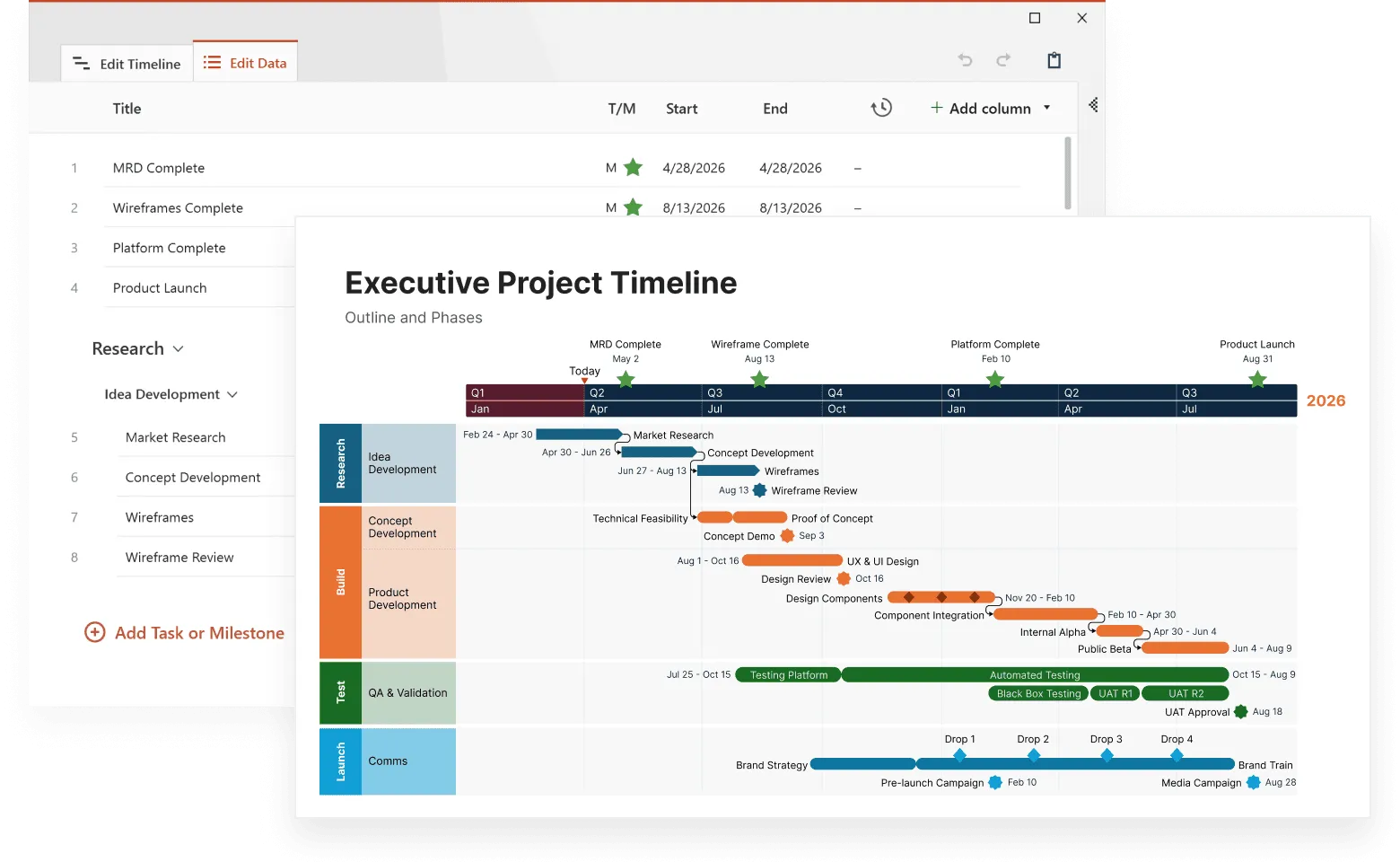
Picture this: You're planning a product launch, and instead of guessing what might happen next quarter, you have a visual roadmap showing probable outcomes based on real data. That's the power of prediction timelines: they transform scattered information into clear, actionable forecasts. For more context on how timelines support strategic planning, explore our main timeline overview.
Unlike traditional forecasting methods that rely on spreadsheets and abstract models, timeline-based prediction puts your data in chronological context. You can see patterns emerge, spot potential problems before they hit, and make decisions based on visual evidence rather than gut feelings.
This article covers everything from the fundamentals of timeline forecasting to advanced techniques for complex scenarios, helping you build prediction systems that actually improve your decision-making. If you want to dive deeper into how timelines are used in analytical and technical workflows, check out our guide on timelines in data science.
What makes timeline forecasting different from regular planning
Most people confuse prediction timelines with simple project schedules, but the two serve completely different purposes. A regular timeline is essentially your to-do list plotted against dates; it shows what you plan to do and when you intend to do it. For example, a product launch timeline might show "Design phase: January 1-15, Development: January 16-March 1, Testing: March 2-15, Launch: March 16."
A prediction timeline works differently. Instead of showing your plans, it shows what's statistically likely to happen based on data analysis. Using the same product launch example, a prediction timeline might reveal "Based on our last five launches, we typically see a 30% delay in development phase, customer support tickets spike 200% in the first week post-launch, and sales gradually ramp up over 8-12 weeks rather than immediately."
The regular timeline tells you what you want to happen. The prediction timeline tells you what probably will happen, including the challenges, delays, and unexpected outcomes that most plans don't account for.
This distinction matters more than you might think. Traditional planning operates on the assumption that everything will proceed smoothly. You set deadlines, allocate resources, and expect your team to hit their marks. Prediction timelines, however, account for variability, seasonal patterns, and the reality that most projects face unexpected changes.
Consider climate research as an example. Scientists don't just plot when they'll take measurements, they create forecasting timelines that show probable temperature changes, precipitation patterns, and extreme weather events based on decades of historical data. These future events timelines help communities prepare for likely scenarios rather than hoping for the best.
In business, the same principle applies. A sales team might create a timeline for future events that shows not just their targets, but probable revenue fluctuations based on seasonal buying patterns, economic indicators, and historical performance data.
The science behind timeline-based predictions
Time series analysis forms the backbone of effective timeline forecasting. This statistical approach examines data points collected over time to identify patterns, trends, and cycles that repeat predictably.
When you plot data chronologically on a timeline, three main patterns typically emerge:
- Trend patterns show the general direction your data moves over time. Sales might trend upward during certain months, or website traffic might decline during specific seasons.
- Seasonal patterns repeat at regular intervals. Retail businesses see predictable spikes during holidays, while software companies often experience slower growth during summer months.
- Cyclical patterns occur over longer periods and don't follow exact schedules. Economic cycles, for instance, affect business performance but don't happen at perfectly predictable intervals.
The magic happens when you combine these patterns with current data to project future possibilities. Modern forecasting algorithms can process historical information and generate probability ranges for future events, giving you not just one possible outcome, but a range of likely scenarios.
Building your first prediction timeline
Most people get overwhelmed thinking about forecasting, but building your first prediction timeline is simpler than you think. You don't need expensive software or statistical expertise, just follow this practical approach that works with basic tools.
Choose your first metric carefully. Pick something you measure regularly and that affects real decisions. Good starter metrics include monthly sales, weekly website visitors, or daily customer support tickets. Avoid metrics you only have a few data points for or that change based on too many external factors.
Step 1: Gather and clean your data
Export your data into a simple two-column format: Date and Value. Use Excel, Google Sheets, or even a basic timeline tool. Remove obvious errors, fill small gaps by averaging neighboring points, and make sure dates are consistently formatted.
Example: For monthly sales data, your spreadsheet might look like:
- Jan 2023: $45,000
- Feb 2023: $52,000
- Mar 2023: $48,000 (Continue for at least 24 months)
Step 2: Create your visual timeline
Plot your data on a simple line chart with dates on the horizontal axis and values on the vertical axis. Most timeline creation software or spreadsheet programs can do this automatically. Look for obvious patterns: does it trend up, down, or cycle?
Tool options:
- Excel or Google Sheets:
Built-in chart features work perfectly for basic timelines with forecasting capabilities. - Canva or Lucidchart:
Great for creating visually appealing timelines to share with stakeholders. - Specialized timeline tools:
Tiki-Toki, or TimelineJS for more sophisticated presentations and Office Timeline for PowerPoint professional-looking timeline charts. - Business intelligence tools: Tableau or Power BI if you already have access.
Step 3: Calculate your baseline trend
Add a trendline to your chart (Excel and Google Sheets have this built-in). This shows whether your metric generally increases, decreases, or stays flat over time. Write down the monthly change rate—for example, "sales increase an average of $2,000 per month."
How to do it: In Excel, right-click your chart line and select "Add Trendline." Choose "Linear" and check "Display equation on chart" to see your exact growth rate.
Step 4: Identify repeating patterns
Compare similar time periods. Do you always see spikes in December? Dips in summer? Calculate the percentage difference from your average for each month or season. This becomes your seasonal adjustment factor.
Simple calculation: If your December sales average $60,000 and your overall monthly average is $50,000, December runs 20% above normal ($60,000 ÷ $50,000 = 1.2 or +20%).
Step 5: Project forward
Extend your timeline into the future using your trend plus seasonal adjustments. If sales trend up $2,000 monthly and December typically runs 20% above average, your December prediction would be: (baseline trend) + (20% seasonal boost).
Tool tip: Excel's FORECAST.LINEAR function can automate this calculation. Google Sheets offers similar forecasting functions under the "Insert" menu. Office Timeline can automatically extend your timeline with projected data points.
Step 6: Add scenario planning
Create three versions of your prediction timeline: optimistic (trends continue strongly), realistic (current trends), and pessimistic (trends weaken). This gives you a range to plan around.
Visualization tip: Use different colored lines or shaded areas on your timeline to show the range between optimistic and pessimistic scenarios. This makes uncertainty visible to stakeholders.
Example:
Sarah runs a small e-commerce store and wants to predict next quarter's sales. She exports 30 months of sales data, plots it in Google Sheets, and sees sales trending upward $1,500 per month with consistent December spikes (+30%) and February dips (-15%). For next February, she calculates: $65,000 baseline + $1,500 growth - 15% seasonal dip = approximately $56,500. She creates optimistic ($62,000) and pessimistic ($51,000) scenarios for complete planning.
The key is starting simple and improving over time. Your first prediction timeline won't be perfect, but it will be infinitely better than guessing. Once you see how this basic approach works, you can add complexity and sophistication to your predictions.
Visualize predictions effortlessly
Try Office Timeline for free. Generate clear, presentation-ready forecast timelines in minutes.
Real-world applications
Healthcare systems use prediction timelines to forecast patient admissions, especially during flu seasons or pandemic waves. By analyzing historical admission patterns alongside current health indicators, hospitals can staff appropriately and manage resources more effectively.
Manufacturing companies build forecasting timelines around production cycles, maintenance schedules, and supply chain disruptions. These timelines help them anticipate bottlenecks and adjust production plans before problems occur.
Environmental scientists create sophisticated future events timelines that model everything from sea level rise to species migration patterns. The Intergovernmental Panel on Climate Change relies heavily on timeline-based forecasting to project temperature changes and their cascading effects over decades.
Financial institutions use prediction timelines to model market volatility, loan default rates, and economic cycles. Unlike static risk assessments, these timelines show how risks evolve over time and help institutions prepare for multiple scenarios.
Even small businesses benefit from this approach. A restaurant might create a timeline for future events showing predicted busy periods based on local events, weather patterns, and historical sales data—helping them schedule staff and order inventory more accurately.
Common mistakes that derail timeline predictions
Even with solid data and good intentions, prediction timelines can go wrong fast. These failures usually stem from predictable errors that you can avoid once you know what to look for. Understanding these pitfalls (and their solutions) can save you from costly forecasting mistakes.
- Assuming past patterns will continue unchanged
Markets evolve, customer behavior shifts, and external factors can disrupt even the most reliable historical trends. Just because your sales peaked every December for five years doesn't guarantee the same pattern will hold when a major competitor enters your market.
Solution: Build multiple scenarios into your predictions. Create a baseline forecast based on historical patterns, then add "what if" scenarios that account for potential disruptions. Update your models quarterly to catch pattern changes early. - Using insufficient historical data
You can't build reliable predictions from a few months of information. Most statistical models need at least two years of data to identify genuine patterns versus random fluctuations. A restaurant that only looks at three months of sales data might mistake a temporary trend for a permanent pattern.
Solution: Collect at least 24 data points before making predictions. If you don't have enough internal data, look for analogous data from similar businesses, industries, or time periods to supplement your analysis. - Overcomplicating the analysis
Simple models often outperform complex ones, especially when you're starting out. Many forecasters get caught up in sophisticated algorithms when basic trend analysis would work better. Complexity adds variables that can introduce more errors than insights.
Solution: Start with basic trend analysis and seasonal adjustments before adding sophisticated variables. Test simple models first. If they provide adequate accuracy, stick with them. Only add complexity when simple approaches prove insufficient. - Ignoring external factors
Your internal data might show clear patterns, but economic changes, competitive actions, or regulatory shifts can render historical patterns irrelevant. A software company might have steady growth patterns that completely break when new privacy regulations change how they can acquire customers.
Solution: Identify the top three external factors that could affect your predictions. Monitor these regularly and adjust your forecasts when significant changes occur. Build trigger points that automatically flag when external conditions change enough to warrant model updates. - Treating predictions as certainties rather than probabilities
Good forecasting timelines show ranges of possible outcomes, not single-point predictions that almost never prove exactly correct. When you present a forecast as "sales will be $100,000 next month," you're setting up disappointment and reducing trust in your predictions.
Solution: Always present prediction ranges instead of single numbers. Express confidence levels alongside your forecasts ("We're 80% confident sales will fall between $85,000 and $115,000"). This helps stakeholders understand uncertainty and make better decisions.
Avoiding these mistakes puts you ahead of most forecasters, but that's just the foundation. The real competitive advantage comes from using the right tools and techniques to maximize your prediction accuracy, which is exactly where we turn next.
Tools and techniques for better accuracy
Modern timeline creation software makes sophisticated forecasting accessible to non-statisticians. Look for tools that can import your data, automatically detect patterns, and generate visual predictions with confidence intervals.
Popular forecasting platforms include:
- Excel and Google Sheets with built-in forecasting functions for basic trend analysis;
- Tableau for visual timeline forecasting with drag-and-drop interfaces;
- Power BI which offers automated pattern detection and scenario modeling;
- Prophet (by Facebook) for handling seasonal data and holiday effects;
- Forecast Pro for more advanced statistical modeling without coding;
- R and Python with libraries like forecast, scikit-learn, and statsmodels for custom solutions.
The best forecasting tools offer scenario modeling capabilities. You can ask "what if" questions like "How would a 20% price increase affect demand?" or "What happens if our main competitor launches a similar product?" These scenarios help you prepare for multiple possibilities.
Cross-validation techniques help test your model's accuracy. The software uses part of your historical data to build the model, then tests predictions against the remaining data to measure accuracy. This process reveals whether your timeline predictions would have been reliable in the past.
Key techniques that improve results:
- Moving averages smooth out short-term fluctuations to reveal underlying trends more clearly. A three-month moving average, for example, shows general direction without getting distracted by daily or weekly noise.
- Exponential smoothing gives more weight to recent data points while still considering historical patterns. This technique works particularly well for business forecasting where recent trends might be more predictive than distant history.
- Regression analysis helps identify relationships between different variables in your data. You might discover that website traffic correlates strongly with sales two weeks later, giving you an early warning system for revenue changes.
Having the right tools is only half the battle. The other half is knowing whether your predictions actually work and how to make them better over time.
Measuring and improving prediction accuracy
Building accurate prediction timelines is an ongoing process of testing, measuring, and refining your approach. Without systematic accuracy tracking, you're essentially flying blind, never knowing if your forecasts help or hurt decision-making.
- Track your prediction accuracy systematically. Compare your timeline forecasts against actual results, measuring both the magnitude of errors and their direction (did you consistently over-predict or under-predict?). Keep a simple spreadsheet that logs your predictions alongside actual outcomes, noting the date, predicted value, actual value, and percentage error.
- Mean Absolute Percentage Error (MAPE) provides a standard way to measure forecasting accuracy across different scales. A MAPE of 10% means your predictions averaged 10% away from actual results—generally considered acceptable for most business applications. MAPE values below 5% indicate excellent accuracy, while anything above 25% suggests your model needs significant improvement.
- Document what worked and what didn't. When predictions proved accurate, what factors contributed? When they missed the mark, what changed that your model didn't account for? This analysis improves future forecasting efforts. Create a simple log that captures external events, model changes, and accuracy shifts over time.
- Consider multiple models and compare their performance. Sometimes a simple seasonal model outperforms complex algorithms. Other times, machine learning approaches capture subtle patterns that traditional methods miss. Run parallel forecasts using different techniques for a few months to see which performs best with your specific data.
- Update your models regularly as new data becomes available. A quarterly review often strikes the right balance between stability and responsiveness to changing conditions. More frequent updates can make your model too reactive to short-term noise, while less frequent updates might miss important pattern shifts.
Once you've mastered the basics of accuracy measurement and model improvement, you're ready to tackle more sophisticated forecasting challenges that require advanced strategies and multi-layered approaches.
Advanced strategies for complex scenarios
Once you've mastered basic timeline forecasting, you'll encounter situations that demand more sophisticated approaches. Complex businesses with multiple products, regions, or interconnected factors need strategies that go beyond simple trend analysis. These advanced techniques help you handle the messy reality of modern forecasting challenges.
- Multi-variable forecasting: incorporates several data streams into a single prediction timeline. Instead of forecasting sales based only on historical sales data, you might include economic indicators, marketing spend, and competitive activities.
How to implement:
Start by identifying 3-5 variables that logically affect your main metric. For retail sales, you might track local unemployment rates, advertising spend, weather data, and competitor pricing. Use correlation analysis to confirm relationships before building your model. Tools like Excel's regression analysis or Google Sheets' FORECAST.LINEAR function can handle basic multi-variable models. - Hierarchical forecasting: works well for organizations with multiple product lines or geographic regions. You create separate timeline predictions for each segment, then aggregate them into overall company forecasts while maintaining the ability to drill down into specifics.
Practical example:
A restaurant chain might forecast sales for each location separately, accounting for local factors like nearby construction or seasonal tourism. These individual forecasts roll up to regional totals, then to company-wide predictions. This approach helps identify which locations drive overall performance and where problems might emerge first. - Ensemble methods: combine multiple forecasting approaches to generate more robust predictions. Rather than relying on a single model, you average results from several different techniques—often producing more accurate results than any individual method.
Implementation strategy:
Run three different models simultaneously (e.g. a seasonal trend model, a regression-based model, and a simple moving average). Weight each model based on historical accuracy (give the most accurate model the highest weight), then combine their predictions. This reduces the risk of any single model leading you astray. - Causal modeling: attempts to identify cause-and-effect relationships in your data. If marketing campaigns consistently precede sales increases by two weeks, you can incorporate planned campaigns into your forecasting timelines for more accurate predictions.
Real-world application:
An e-commerce company might discover that email campaigns drive website traffic spikes 3-5 days later, which translate to sales increases 7-10 days after the initial email. By mapping these relationships, they can predict sales bumps from planned marketing activities rather than waiting to see results. - Dynamic updating: allows your timeline predictions to adjust automatically as new data arrives. This approach works particularly well for fast-moving situations where waiting for quarterly updates would make predictions stale.
Setup process:
Configure your forecasting system to pull fresh data daily or weekly. Set thresholds that trigger model updates when new data points fall outside expected ranges. For instance, if actual sales exceed predictions by more than 15% for three consecutive days, the system automatically recalibrates future forecasts.
These advanced techniques require more setup time and data management, but they pay off when basic methods hit their limits. As forecasting technology continues evolving, staying current with new developments becomes increasingly important for maintaining competitive advantage.
The future of timeline-based forecasting
Timeline forecasting is evolving rapidly, driven by advances in technology and data availability. Understanding these trends helps you prepare for what's coming and identify opportunities to improve your current forecasting capabilities. These developments will likely reshape how businesses approach prediction within the next few years.
Machine learning algorithms continue improving at pattern recognition in time series data. These systems can identify subtle relationships that human analysts might miss, leading to more accurate prediction timelines.
What this means for you:
Tools like Google's AutoML Tables and Amazon Forecast now offer machine learning forecasting without requiring coding skills. These platforms can automatically test dozens of algorithms against your data and select the best performers. Expect accuracy improvements of 10-30% over traditional methods for complex datasets.
Real-time data integration means forecasting timelines can update continuously rather than waiting for batch processing. Sensors, online transactions, and social media streams provide constant information that modern systems can incorporate immediately.
Practical applications:
Retail companies can now adjust inventory forecasts based on real-time weather data, social media buzz, and competitor pricing changes. Manufacturing firms can incorporate sensor data from production lines to predict maintenance needs and adjust output forecasts accordingly.
Collaborative forecasting platforms allow multiple stakeholders to contribute insights and assumptions to shared prediction timelines. Sales teams, marketing departments, and operations groups can each add their expertise to create more comprehensive forecasts.
Implementation benefits:
Platforms like Anaplan and Oracle Planning Cloud let different departments input their assumptions (marketing plans, sales pipeline data, operational constraints) into shared models. This reduces the "silo effect" where departments make plans without considering how they affect other areas.
Automated anomaly detection helps identify when current patterns deviate significantly from historical norms, signaling that your existing models might need adjustment before they produce inaccurate predictions.
How it works:
Modern forecasting tools can flag when incoming data falls outside expected ranges and automatically adjust predictions. For example, if website traffic suddenly spikes 300% above normal levels, the system can immediately recalibrate sales forecasts rather than waiting for the next scheduled update.
Integration of external data sources continues expanding forecasting capabilities. Economic indicators, weather data, social media sentiment, and industry reports can all inform more sophisticated timeline predictions.
Emerging opportunities:
APIs now provide access to everything from Federal Reserve economic data to Google search trends. A restaurant chain might combine local weather forecasts, event calendars, and social media activity to predict daily customer traffic with unprecedented accuracy.
These technological advances are making timeline forecasting more accessible and accurate than ever before. However, the fundamental principles we've covered (clean data, appropriate models, and systematic accuracy tracking) remain the foundation of successful predictions. Technology amplifies good practices but can't compensate for poor fundamentals.
Conclusion
Timeline-based forecasting transforms how organizations plan and prepare for the future. By visualizing data chronologically and applying statistical techniques to identify patterns, you can create reliable predictions that inform better decisions.
Start with these three immediate steps:
- Audit your current data collection
Identify what historical data you already have and what quality issues need fixing before you begin forecasting. - Choose one specific metric to forecast
Don't try to predict everything at once; pick something measurable like monthly sales, customer support tickets, or inventory turnover. - Set up a simple tracking system
Create a spreadsheet that compares your predictions to actual results so you can measure and improve accuracy over time.
The key lies in starting simple, using quality data, and continuously improving your models based on results. Whether you're planning inventory, staffing, or strategic initiatives, prediction timelines provide a framework for moving beyond guesswork toward data-driven foresight.
Remember these practical guidelines:
- Collect at least 24 data points before making predictions.
- Present forecasts as ranges, not single numbers.
- Update your models quarterly or when major changes occur.
- Track prediction accuracy using MAPE or similar metrics.
- Start with simple trend analysis before adding complexity.
Remember that forecasting is about probability ranges, not certainty. The best prediction timelines help you prepare for multiple scenarios while maintaining the flexibility to adapt as circumstances change. Your goal isn't perfect predictions, but making better decisions with the information available.
The organizations that master timeline-based forecasting gain a significant competitive advantage. They spot opportunities earlier, avoid preventable problems, and allocate resources more effectively. Most importantly, they replace reactive decision-making with proactive planning based on data rather than intuition.
Frequently asked questions
These questions come from users implementing timeline forecasting in their organizations. The answers provide specific guidance you can apply immediately.
3-6 months for most business metrics, up to 12 months for seasonal patterns.
Accuracy depends heavily on what you're forecasting. Business metrics like sales or website traffic stay reliable for 3-6 months. Seasonal patterns in retail or tourism can be predicted up to 12 months ahead with reasonable confidence. Economic indicators might stretch to 6-18 months but with much wider uncertainty ranges. Scientific forecasting for climate or demographics extends decades, but expect uncertainty ranges of ±50% or more.
24 data points minimum, but 36-48 gives much better results. For volatile data or long-term cycles, you need 5-10 years of history before patterns become reliable.
No, but you can use proxy data from similar situations.
You have workaround options:
- Use analogous data from similar products or competitors.
- Start with market category trends and adjust for your specific situation.
- Use expert judgment for initial predictions, then switch to data-driven models after 3-6 months.
The key is planning to rebuild your entire model once you have actual performance data.
Reset your baseline and start fresh from the disruption point.
When major disruptions happen (pandemic, new competitor, regulation changes), your old models become useless. Identify the disruption date. When did patterns clearly break? Reset your baseline and treat post-disruption as a new starting point. Increase monitoring frequency to weekly instead of monthly. Build new models using only post-disruption data and expect higher uncertainty for 6-12 months while new patterns stabilize.
Timelines focus on chronological patterns. Dashboards show current status across multiple metrics.
Timeline focus: Shows how one metric evolves over time and projects future values based on historical patterns.
Dashboard focus: Displays current performance across multiple KPIs with some forecasting elements mixed in.
Choose timelines when you need to understand trends and plan for specific future scenarios. Choose dashboards for monitoring current performance and spotting immediate issues.