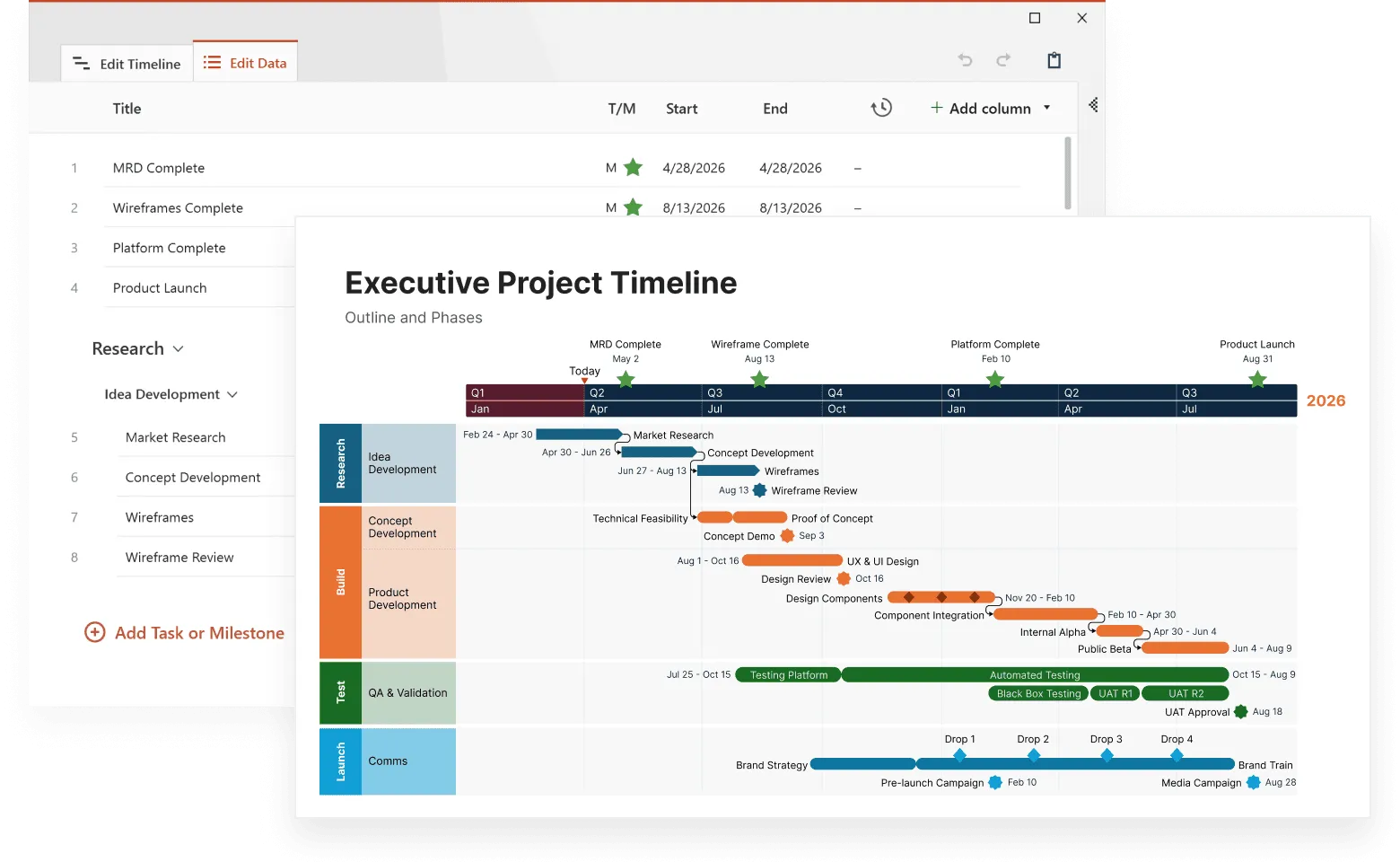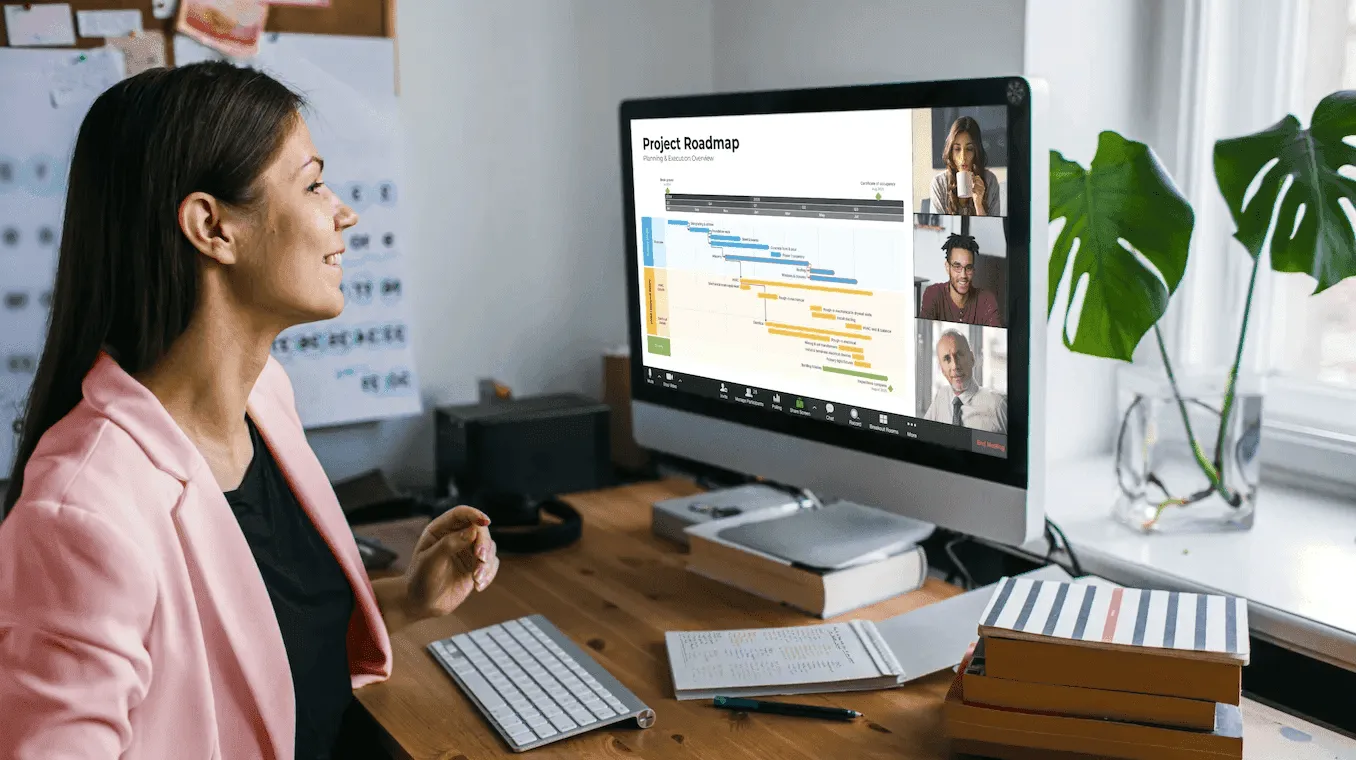
Project managers often face a common problem: how do you display dozens of overlapping activities without creating visual chaos? Traditional timelines work well for simple sequences, but they break down when you need to show multiple teams, phases, or categories of work happening simultaneously.
Layered timelines provide a solution by organizing different types of events into distinct visual layers while maintaining chronological alignment. Instead of cramming everything into one crowded row, you can separate different workstreams into their own layers and still see how they relate to each other over time.
This article explains how layered timelines work, when to use them, and how to create effective multi-layer displays that improve project coordination. For a deeper dive into advanced display techniques, see our guide on advanced timeline visualization.
Understanding layered timeline structure
A layered timeline displays multiple event sequences on the same time axis, with each layer representing a different category, team, or type of activity. The horizontal axis remains consistent across all layers, showing dates or time periods, while the vertical space gets divided into separate sections for each layer.
This approach is commonly implemented using swimlane timeline visualization, where each "lane" functions as a distinct layer. Just as swimmers stay in their designated lanes while racing on the same course, project activities stay within their assigned layers while progressing along the same timeline.
Consider a software development project that needs to track:
- e-commerce team development across multiple sub-teams,
- third-party integrations and partnerships,
- mobile app development for different platforms,
- infrastructure and backend systems.
Rather than mixing all these activities in one timeline row, layered timelines give each category its own visual space. The e-commerce teams appear in the top swimlane, accounts and integrations in the second, mobile development in the third, and infrastructure work in the bottom layer. This separation makes it easy to follow specific workstreams while maintaining awareness of parallel activities.
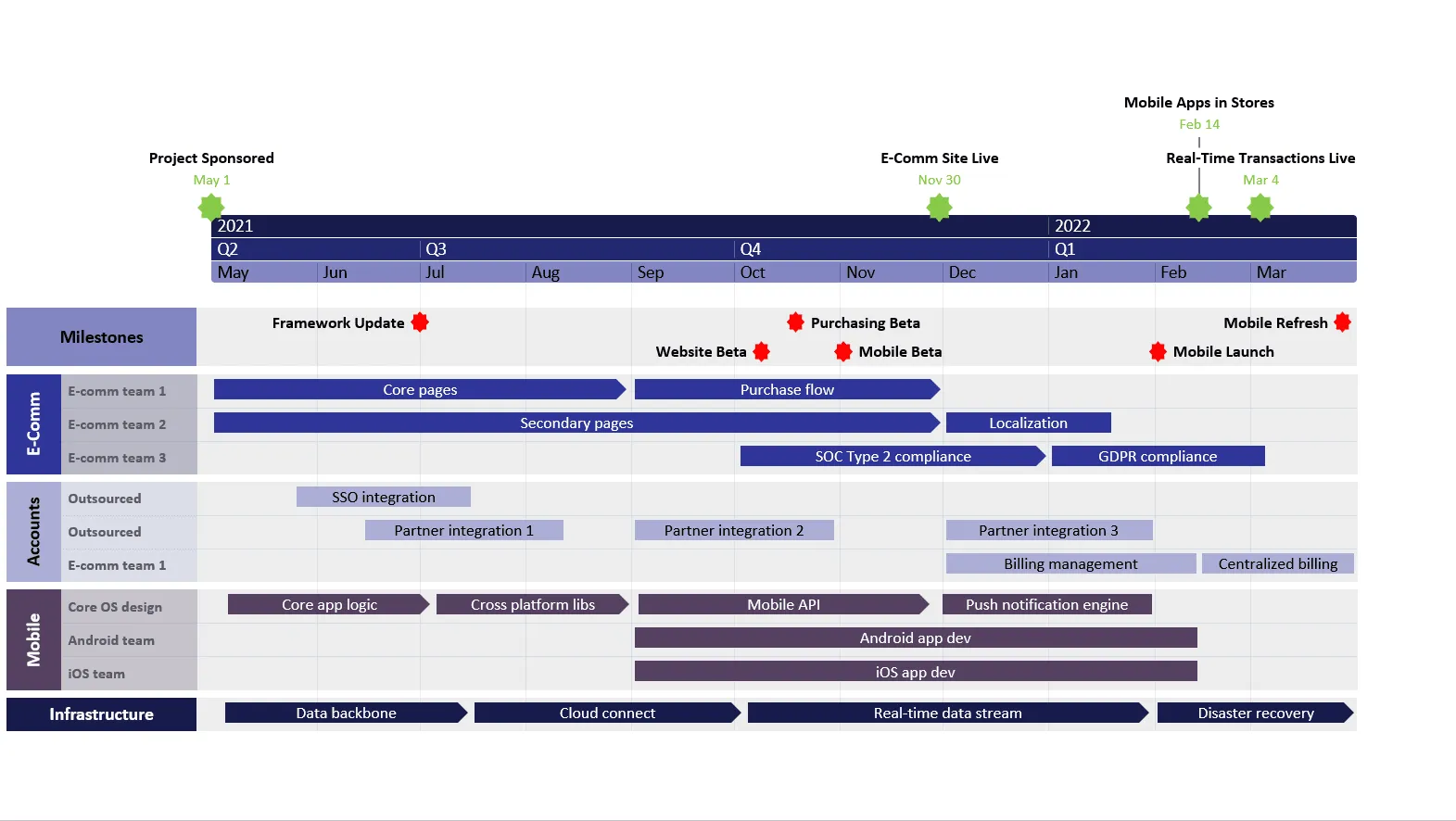
The example above, created with Office Timeline, demonstrates how a complex e-commerce platform launch becomes manageable when organized into distinct layers. Each swimlane shows its own progression while maintaining chronological alignment across the entire project timeline.
The power comes from this chronological alignment. When you see that the mobile team completes their API integration in Q4, you can immediately check other layers to see what infrastructure changes are planned for that same timeframe, or when the e-commerce teams need to coordinate for the mobile app launch.
Build layered timelines with ease
Try Office Timeline for free. Create clean, multi-lane project timelines directly in PowerPoint.
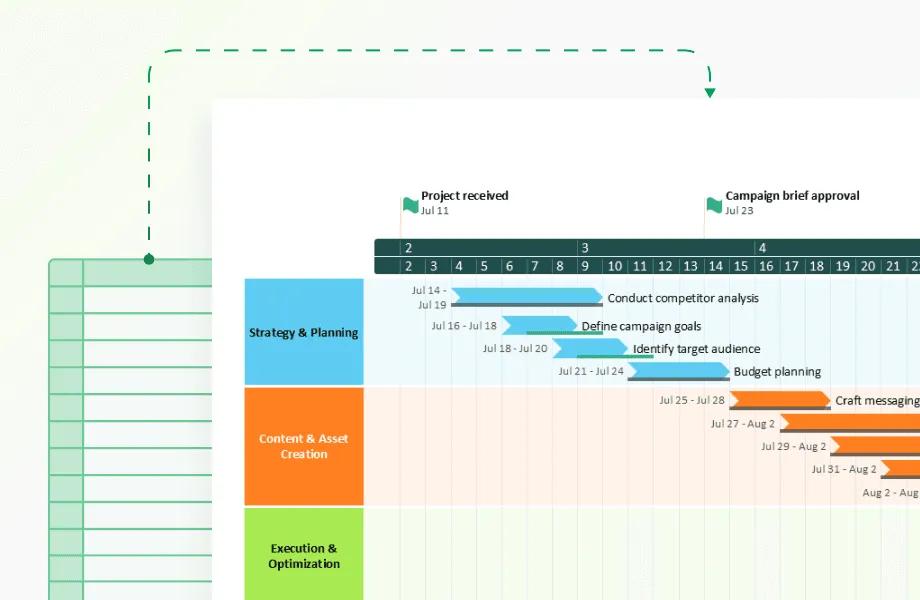
When a basic one-row timeline stops being useful
Standard timelines excel at showing linear sequences of events. They work perfectly for simple processes like "plan, execute, review, launch." But most real-world projects involve multiple parallel workstreams with complex interdependencies.
A product launch might involve fifteen different teams working on overlapping schedules. Engineering develops features while designers create user interfaces. Marketing teams prepare campaigns while legal departments review compliance requirements. Customer support develops training materials while operations teams plan infrastructure scaling.
Attempting to display all these activities in a single timeline row creates several problems:
- Visual overcrowding
Too many events in one space makes individual items hard to read and follow. - Lost context
Related activities get separated by unrelated tasks, making it difficult to understand workflows within specific departments or functions. - Difficult updates
Adding new tasks or adjusting schedules becomes cumbersome when everything competes for the same visual space. - Poor communication
Team members struggle to locate their relevant tasks among dozens of items from other departments.
Layered timelines solve these issues by providing dedicated space for each workstream while preserving the temporal relationships that project managers need to understand. The swimlane approach makes this separation immediately clear - each department or function gets its own "lane" to swim in, while everyone moves toward the same finish line.
Designing effective layer categories
The success of a layered timeline depends heavily on how you organize your layers. Each layer should represent a meaningful grouping that helps users quickly locate relevant information and understand relationships between different types of work.
Organizational layers
The most common approach groups events by organizational structure:
- Engineering team activities
- Design team milestones
- Marketing campaign elements
- Operations and infrastructure
- Legal and compliance reviews
This structure works well when different teams operate somewhat independently but need coordination at specific points. The swimlane format makes it immediately clear which team owns which activities, while the shared timeline shows when coordination is required.
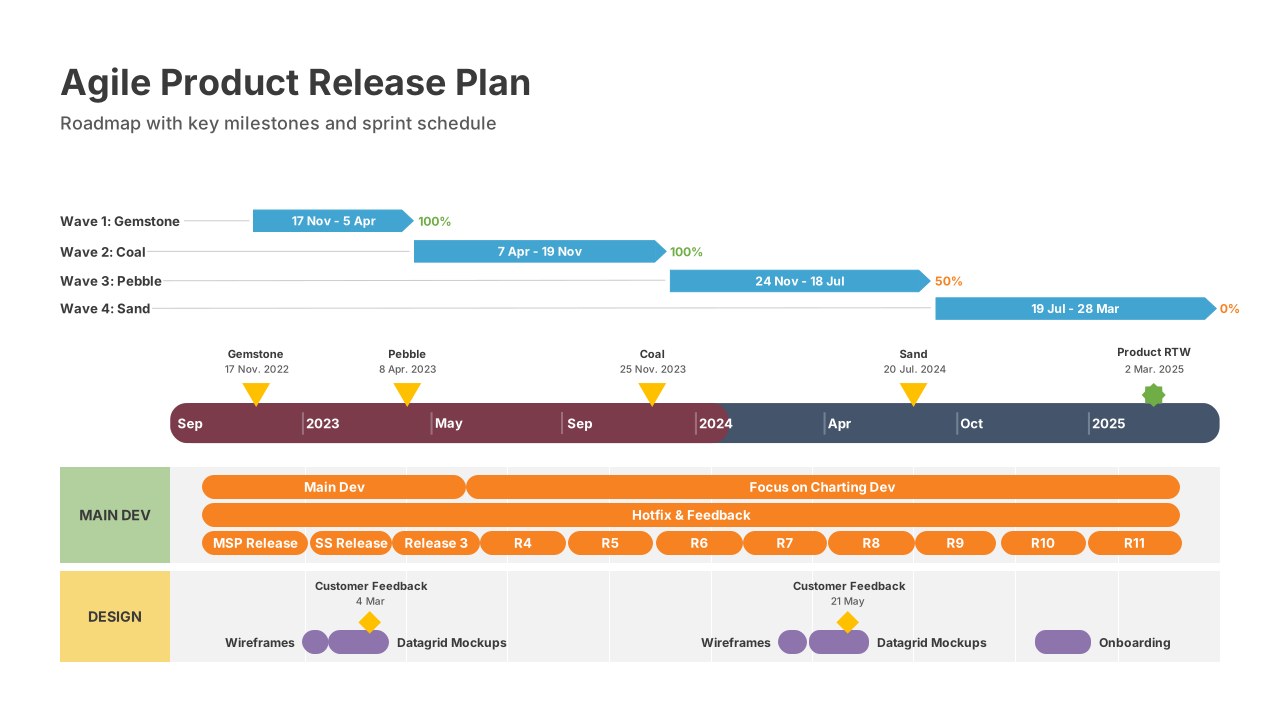
Functional layers
Another approach organizes layers by work type rather than team:
- Planning and research phases
- Development and creation work
- Review and approval processes
- Testing and validation activities
- Launch and implementation task
Functional layering helps when the same team performs different types of work throughout the project lifecycle.
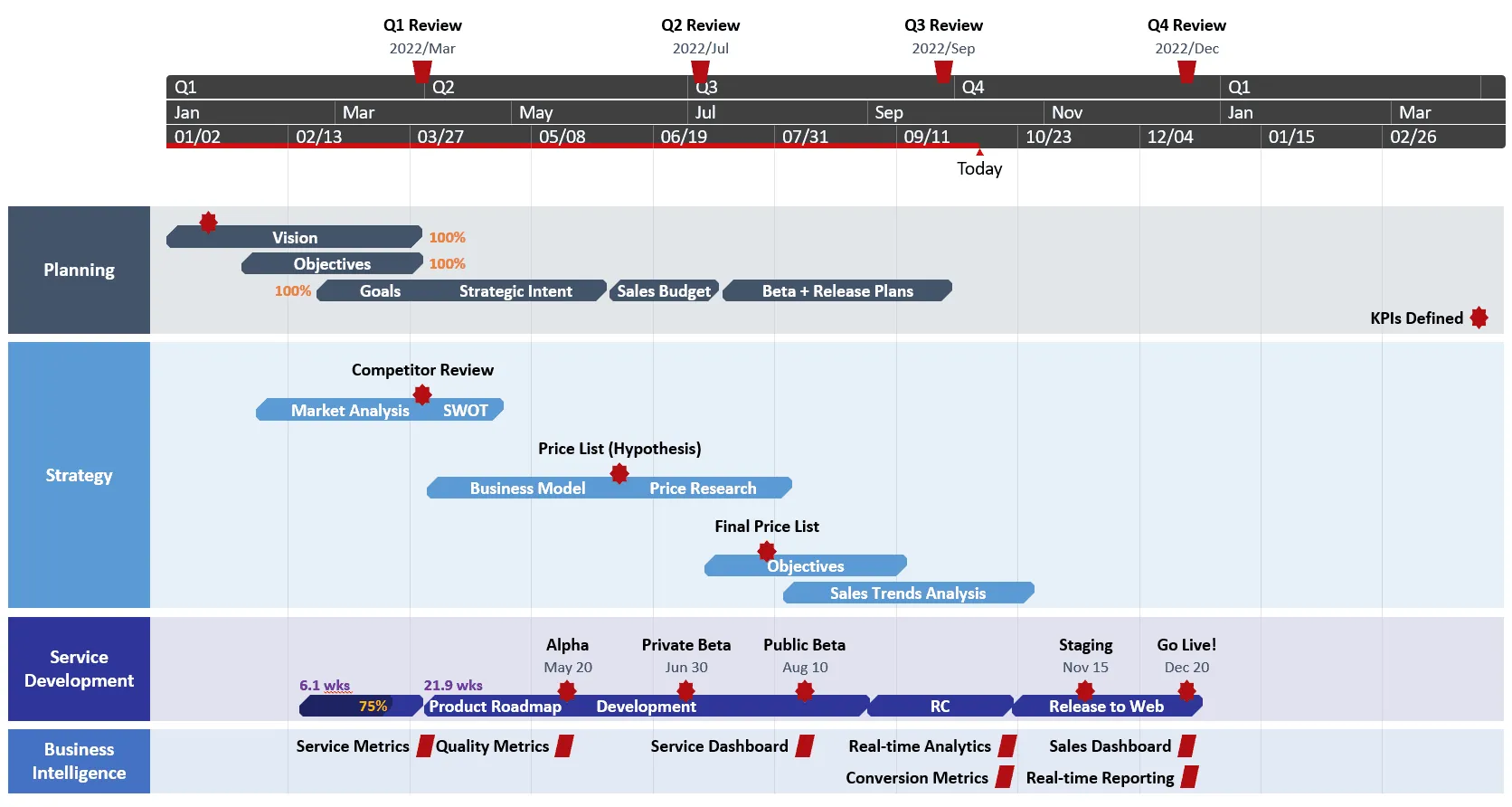
Priority-based layers
Some projects benefit from priority-focused organization:
- Critical path items (tasks that directly impact project completion)
- Important but flexible activities (work that needs completion but has some schedule flexibility)
- Enhancement features (nice-to-have additions if time permits)
- Risk mitigation tasks (backup plans and contingency work)
This approach helps project managers focus on the most important activities while maintaining awareness of supporting work.
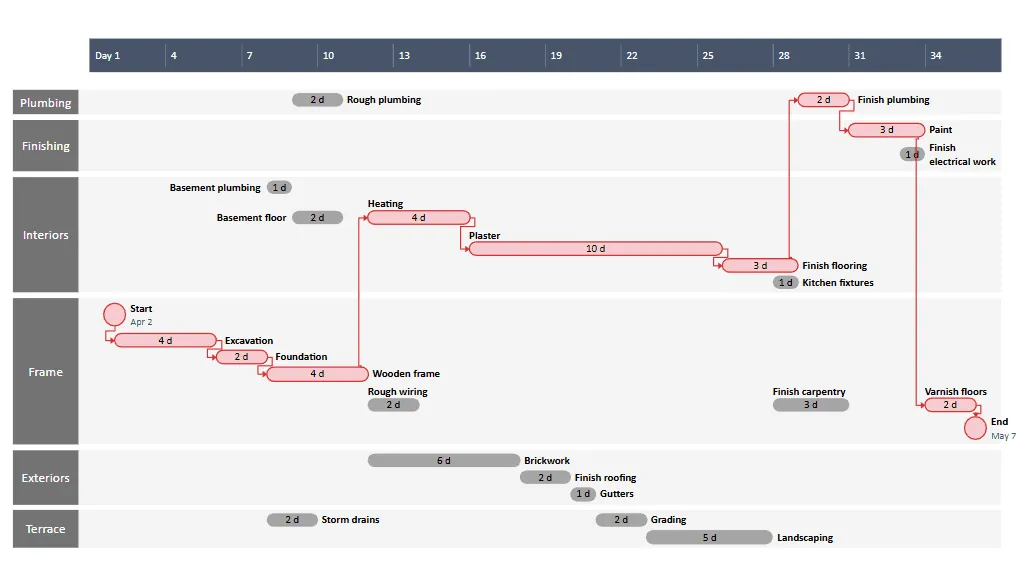
Visual design principles for layered displays
Effective layered timelines require careful visual design to prevent confusion while maintaining clarity. Each layer needs enough distinction to be easily identifiable, but the overall design should feel cohesive rather than fragmented.
Color coding provides the most immediate visual differentiation. Each layer gets its own color, with events in that layer using consistent coloring throughout the timeline. Avoid using more than seven distinct colors, as human perception struggles to differentiate between large numbers of similar hues.
Shape variation adds another level of distinction. Development tasks might use rectangular blocks, while review processes use diamond shapes, and milestones appear as circles or triangles.
Vertical spacing between layers prevents visual overlap and makes individual layers easier to follow. Too little spacing creates confusion, while too much spacing makes it difficult to see temporal relationships between layers. In swimlane timeline implementations, this spacing creates the distinct "lanes" that give the visualization its name.
Typography consistency maintains readability across layers. Use the same font family and sizing throughout, with weight variations to indicate different event types rather than completely different fonts.
Managing complexity in multi-layer timelines
More layers don't automatically mean better organization. The optimal number of layers depends on your project complexity and audience needs, but most effective implementations use between three and eight layers.
Beyond eight layers, users typically need to scroll vertically to see all information, which breaks the unified temporal view that makes layered timelines valuable. If your project requires more than eight categories, consider grouping related activities or creating multiple focused timelines rather than one comprehensive display.
Think of it like a swimming pool - too many lanes make it difficult for spectators to follow individual swimmers, and the same principle applies to swimlane timelines.
Interactive controls for layer management
Modern layered timeline makers include several interactive features that help users customize their view:
- Layer visibility toggles let users hide irrelevant layers and focus on specific workstreams. A project manager might hide all layers except engineering and QA when reviewing technical dependencies.
- Filtering controls show or hide events based on status, priority, or other attributes without changing the layer structure.
- Time period zooming allows users to focus on specific date ranges while maintaining layer organization.
- Search functionality helps locate specific events across all layers without manually scanning each layer.
These controls become more important as layer complexity increases, giving users the flexibility to create focused views while preserving access to complete information when needed.
Connecting events across different layers
The real value of layered timelines emerges when you can visualize relationships between events in different layers. Dependencies, handoffs, and coordination points need clear representation to make the timeline useful for project coordination.
Dependency arrows show when completion of one event enables another event to begin. An arrow might connect "Design approval" in the design layer to "Development start" in the engineering layer.
Shared milestones appear as markers that span multiple layers, indicating coordination points where different teams need to synchronize their work.
Status indicators show the current state of events across layers, making it easy to identify bottlenecks or delays that might affect other workstreams.
Communication markers highlight when different teams need to coordinate, such as weekly check-ins or major presentation dates.
Some layered timeline makers use connecting lines with different styles to indicate relationship types. Solid lines might represent hard dependencies where one task cannot begin until another completes, while dashed lines show soft dependencies where coordination is helpful but not strictly required. In swimlane timeline formats, these connections often appear as arrows that cross between lanes, making inter-team dependencies visually obvious.
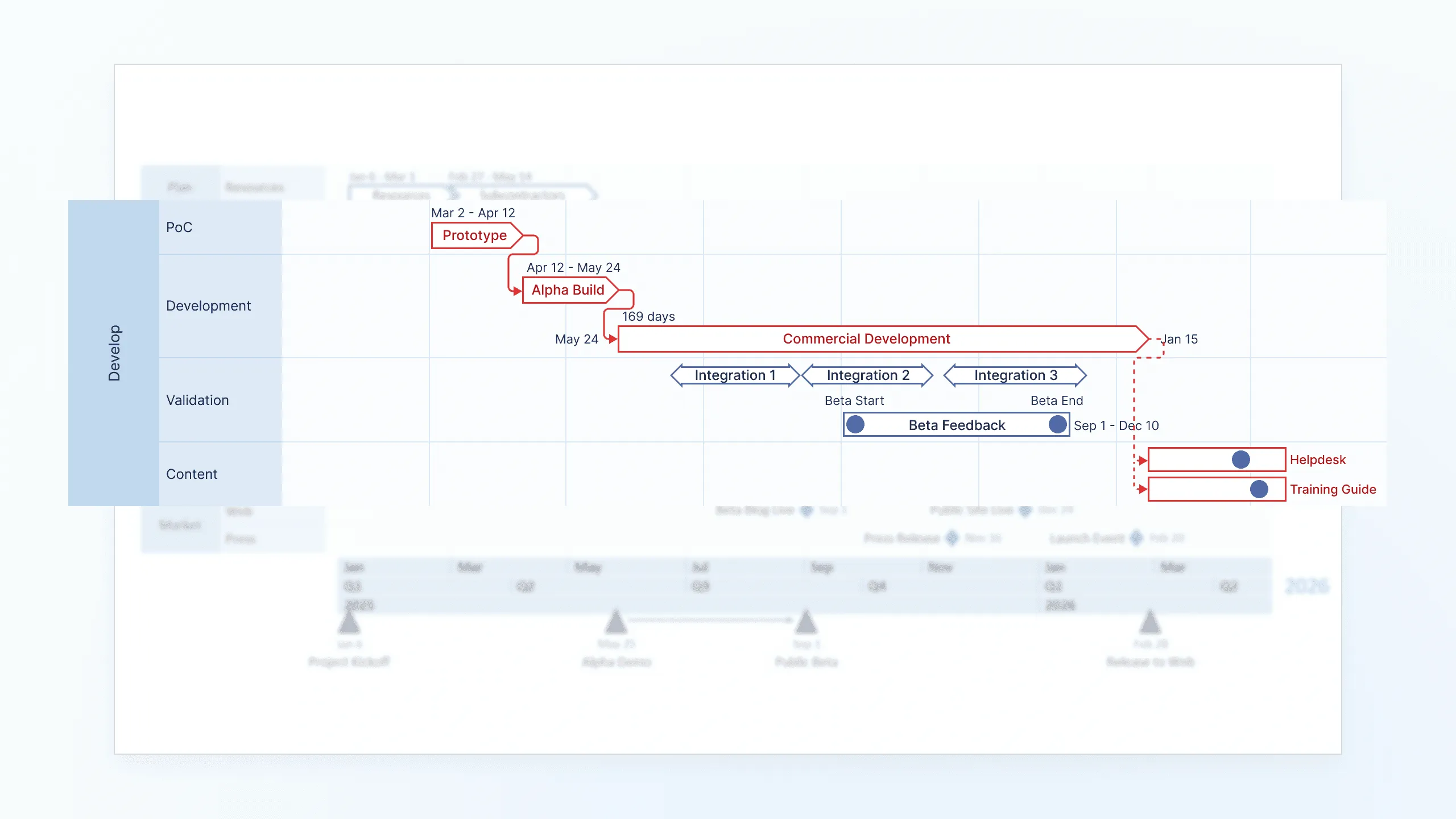
Implementation tips for layered timeline makers
Creating effective layered timelines requires more sophisticated data management than simple timeline tools. The underlying system needs to handle multiple data dimensions while maintaining performance and usability.
Data structure requirements include event details, layer assignments, temporal positioning, relationship mapping, and visual styling preferences. Each event needs to know which layer it belongs to, when it occurs, how it relates to other events, and how it should appear visually.
Performance considerations become important with large datasets. Displaying hundreds of events across multiple layers requires efficient rendering and smooth interaction capabilities.
Export and sharing features need to preserve layer organization when timelines are shared with stakeholders who might not have access to the original timeline maker software.
Collaboration capabilities should respect layer-specific permissions, allowing different team members to edit their relevant layers while maintaining read access to other layers for coordination purposes.
Examples of layered timeline applications across industries
Layered timelines prove particularly valuable in industries where multiple specialized teams need to coordinate complex work streams.
Construction projects
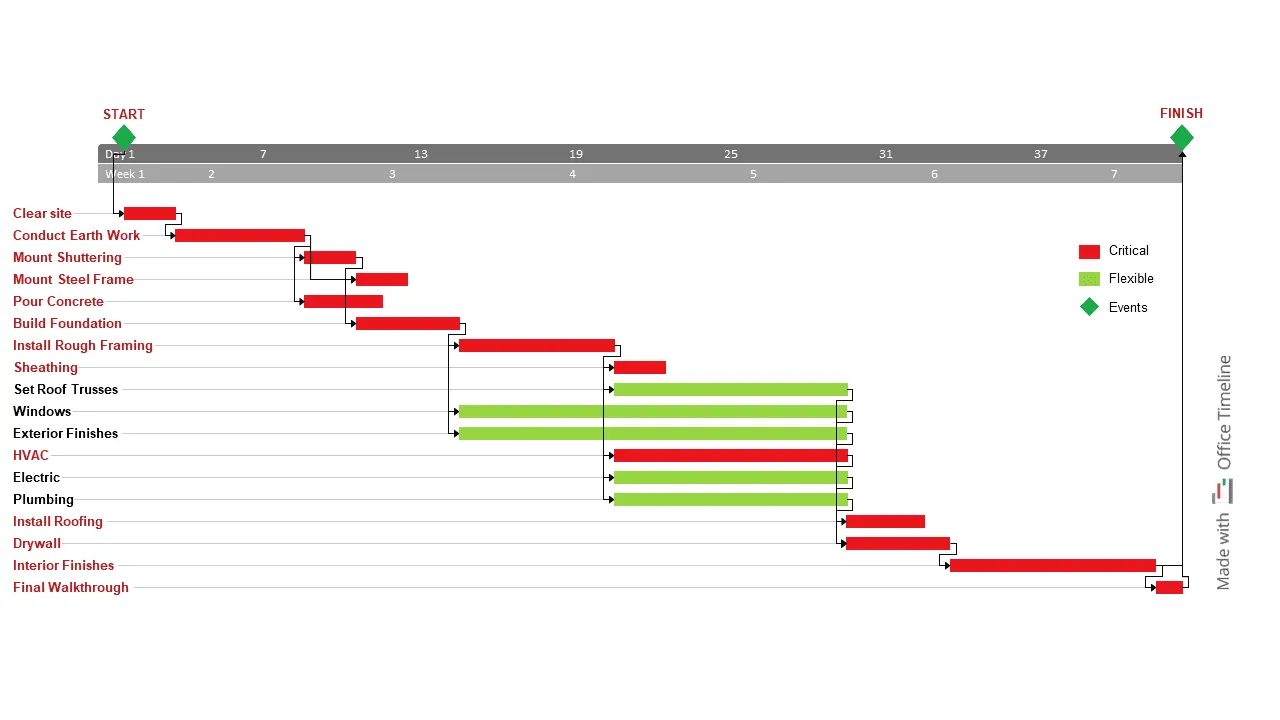
Construction projects use layered timelines to coordinate different trades, permit processes, and inspection schedules. The foundation layer shows excavation and concrete work, while plumbing, electrical, and HVAC layers display when different systems get installed. This coordination prevents conflicts like trying to install electrical wiring before framing is complete. Swimlane timeline visualization makes it immediately clear which trade is responsible for what work and when handoffs between trades need to occur.
Clinical research
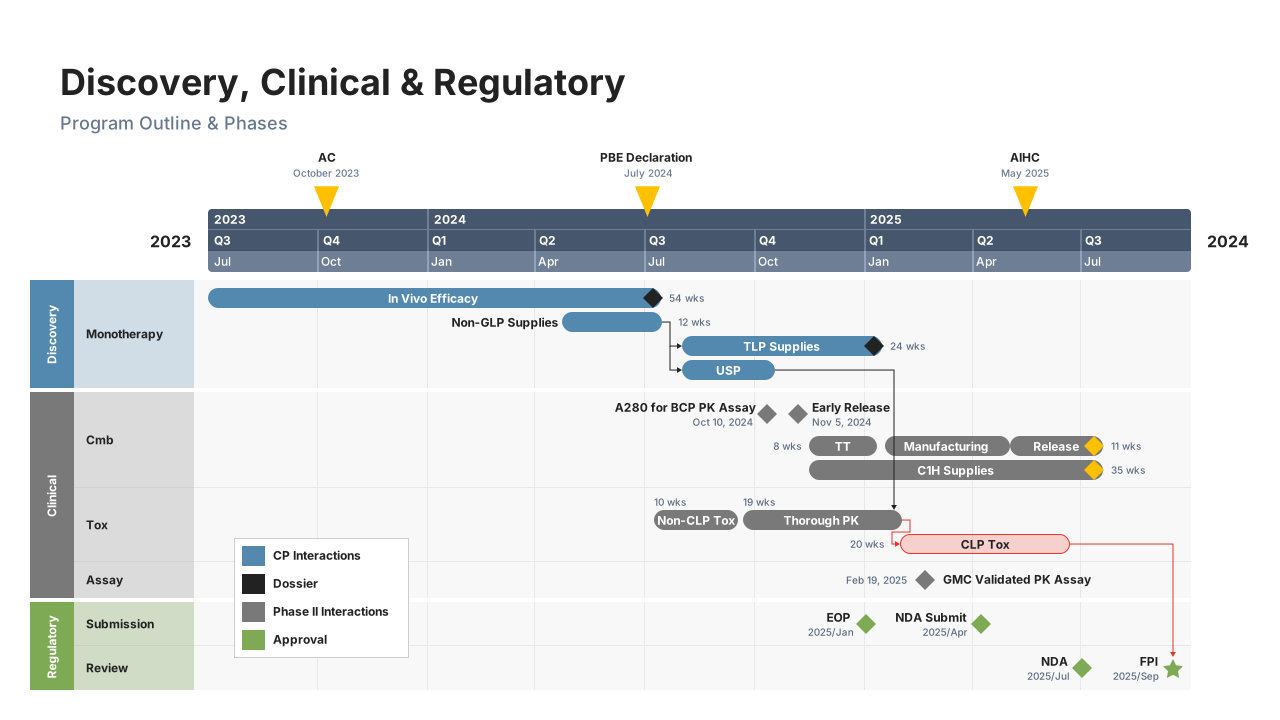
Clinical research relies heavily on layered timeline visualization to manage patient recruitment, treatment protocols, data collection, and regulatory submissions across multiple study sites. Each layer represents a different aspect of the research process, making it easier to ensure that patient visits align with data collection requirements and regulatory deadlines.
Software development
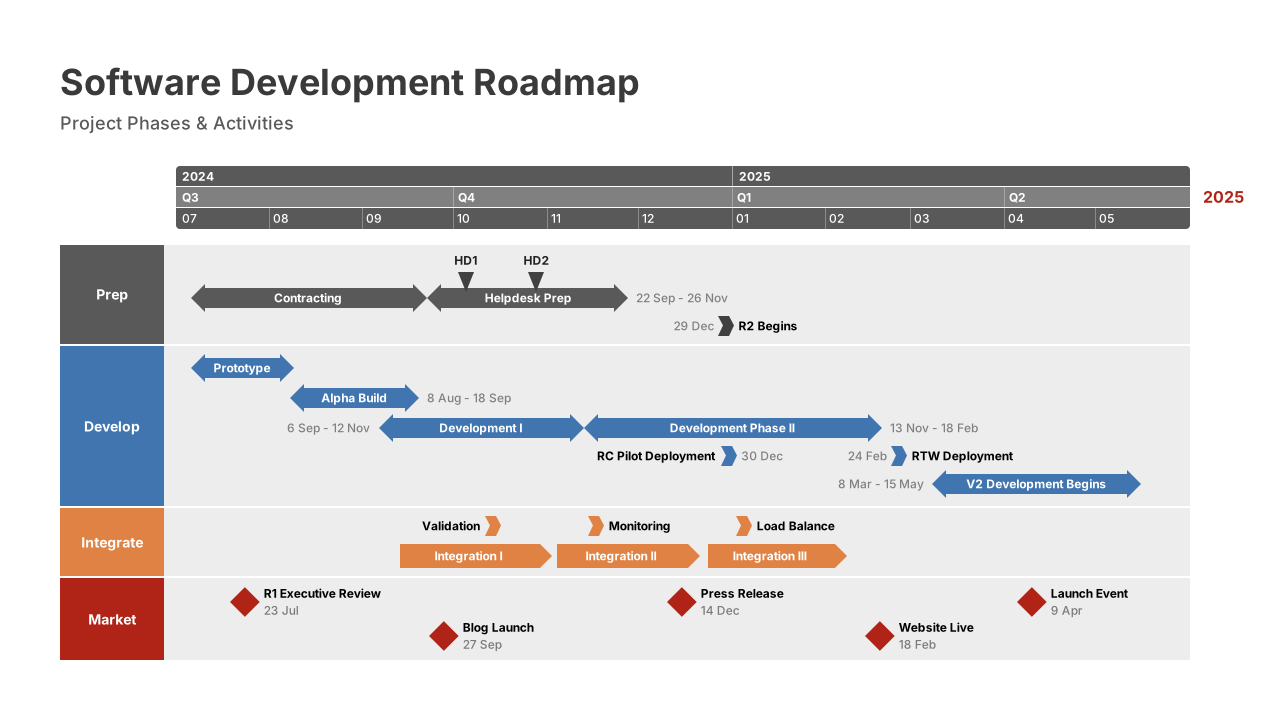
Software development uses layered timelines to coordinate frontend and backend development, testing phases, security reviews, and deployment preparations. This coordination becomes particularly important in agile environments where multiple features are developed simultaneously.
Event planning
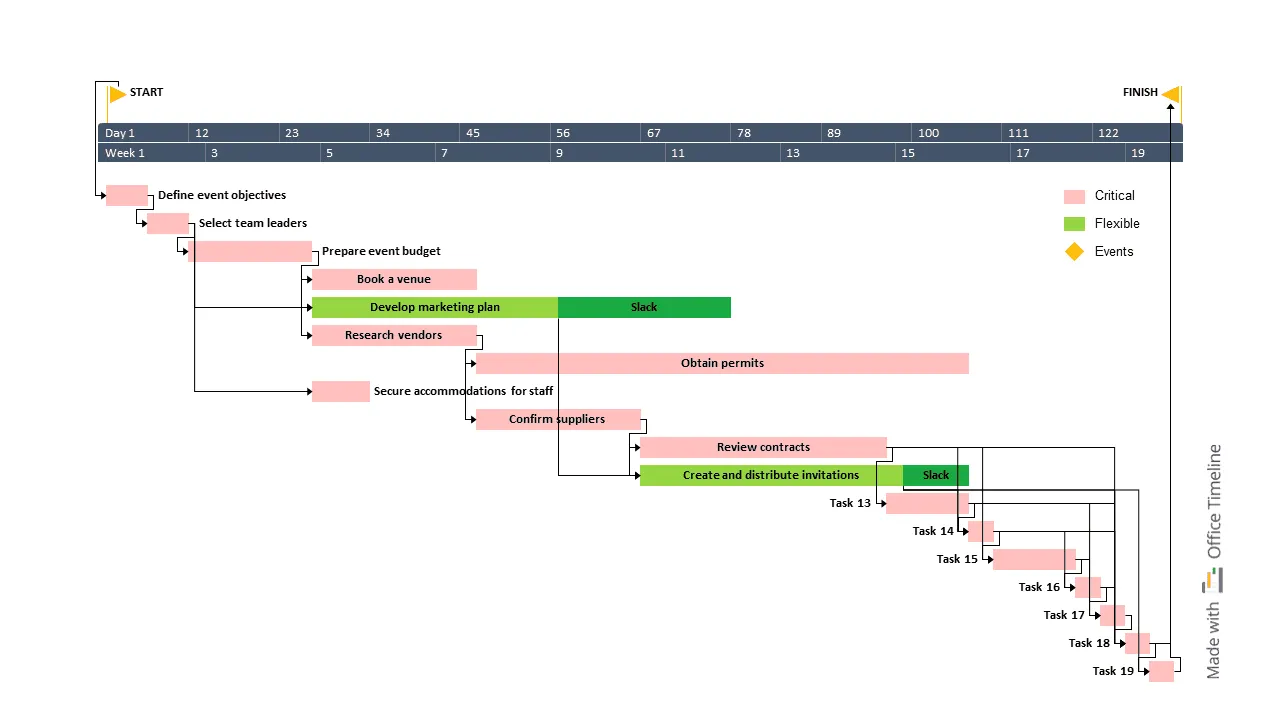
Event planning benefits from separate layers for venue logistics, vendor coordination, marketing campaigns, and attendee management. Each layer requires different expertise and timing, but successful events depend on careful coordination between all layers. The swimlane approach helps event planners see at a glance which vendor deliverables align with marketing campaign launches or venue setup requirements.
Marketing campaigns
Marketing campaigns often involve multiple channels and touchpoints that need careful timing coordination. Email campaigns, social media content, advertising launches, and PR activities each get their own layer, making it easier to create cohesive messaging across all channels.
Choosing appropriate layered timeline tools
Not all timeline software supports true layering functionality. Many tools offer categories or tags for organizing events, but lack the visual separation and relationship mapping that make layered timelines effective for complex project coordination.
When evaluating layered timeline makers, consider these capabilities:
- Multiple simultaneous layer display
The tool should show all layers at once rather than requiring users to switch between different views. - Visual relationship indicators
Look for features that show dependencies and connections between events in different layers. - Interactive layer controls
Users should be able to hide, show, and reorder layers without losing their data or customization. - Collaboration features
Multiple users should be able to work on different layers simultaneously without conflicts. - Integration capabilities
The tool should work with existing project management systems and data sources. - Export options
Timeline data should be exportable in formats that preserve layer organization for sharing and archiving.
Several tools excel at creating layered timelines, each with distinct strengths. Office Timeline specializes in creating professional swimlane timelines with polished visual design and PowerPoint integration, making it particularly effective for executive presentations and stakeholder communication. The tool focuses on visual clarity and ease of use, allowing users to create layered timelines without extensive training.
Microsoft Project offers robust layered timeline capabilities within its comprehensive project management suite, including resource allocation and advanced dependency tracking across layers. However, its complexity can be overwhelming for teams that primarily need timeline visualization rather than full project management functionality.
Smartsheet provides a middle ground with good layered timeline features and collaborative capabilities, though its swimlane implementation is less visually polished than specialized timeline tools. It works well for teams already using Smartsheet for other project management needs.
Some project management platforms include layered timeline views as part of broader feature sets, while specialized timeline makers focus specifically on creating rich visual displays. The choice depends on whether you need timeline functionality as part of comprehensive project management or as a standalone visualization tool. Many modern tools implement layered timelines using swimlane-style interfaces, which provide intuitive visual organization that users can understand immediately.
For teams prioritizing visual impact and presentation quality, dedicated timeline makers like Office Timeline often provide better results than general-purpose project management tools, particularly when timelines need to be shared with executives or external stakeholders who value clear, professional visualization over detailed project data.
Moving from timeline chaos to organized layers
Layered timelines solve the problem of cramming too much information into one timeline row. By separating different workstreams into distinct visual layers while keeping the same time axis, project managers can track multiple activities without losing clarity.
The swimlane approach makes sense immediately: each team or function gets its own lane while everyone works toward the same deadlines. Whether you're coordinating construction trades, software development teams, or marketing campaigns, layered timelines help you see what's happening when without the mess.
Good layered timelines need thoughtful organization, the right tools, and regular updates. Start with 3-5 clear layers, pick software that actually separates activities visually, and keep your timeline current as projects change.
For complex projects with multiple teams working in parallel, layered timelines make coordination much easier. They improve communication with stakeholders and help prevent scheduling conflicts that happen when important information gets buried in overcrowded displays.
Frequently asked questions
Layered timelines and swimlane timeline implementations raise common questions about design choices, technical capabilities, and practical applications. These answers address the most frequent concerns from project managers, team leads, and timeline creators who are considering or currently using layered timeline approaches.
Layered timelines focus on organizing events by category or team while maintaining chronological alignment. Gantt charts emphasize task dependencies and resource allocation.
While both can show multiple workstreams, layered timelines prioritize visual clarity and categorical organization, while Gantt charts prioritize project scheduling and resource management. Many layered timelines use swimlane formatting for clearer visual separation.
Most effective layered timelines use between 3-8 layers. Fewer than 3 layers often don't provide enough organizational benefit over standard timelines. More than 8 layers typically require vertical scrolling, which breaks the unified temporal view that makes layered timelines valuable.
No. Layers within the same timeline should use the same time scale to maintain chronological alignment. If you need different time scales (like daily tasks versus monthly milestones), consider using separate timelines or timeline tools that support multiple time resolution levels within individual layers.
Events that involve multiple teams or categories can be represented using several approaches:
- Duplicate the event across all relevant layers.
- Create shared milestone markers that appear in multiple layers.
- Use connecting lines to show relationships between related events in different layers.
- Add cross-reference notes in each affected layer.
Swimlane timeline formats make these cross-lane connections particularly clear through visual indicators that span multiple rows.
Use distinct colors that are easily distinguishable and accessible to colorblind users. Avoid using more than 7 colors, and consider using different shades of the same color family for related layers. Many layered timeline makers include colorblind-friendly palette options.
Absolutely. Layered timelines work well for complex personal projects like home renovations, wedding planning, or career transitions that involve multiple parallel activities. A home renovation might have layers for permits, contractors, material deliveries, and inspections. Wedding planning could separate venue logistics, vendor coordination, guest management, and personal preparation tasks. The same organizational principles apply whether you're coordinating teams or managing different aspects of personal projects.
Look for layered timeline makers with these maintenance features:
- Bulk editing capabilities for updating multiple related events.
- Template systems for consistent formatting.
- Integration with project management tools for automatic updates.
- Version control to track changes over time.
Regular maintenance becomes easier when you can update multiple related events simultaneously and when timeline data syncs with your primary project management system.